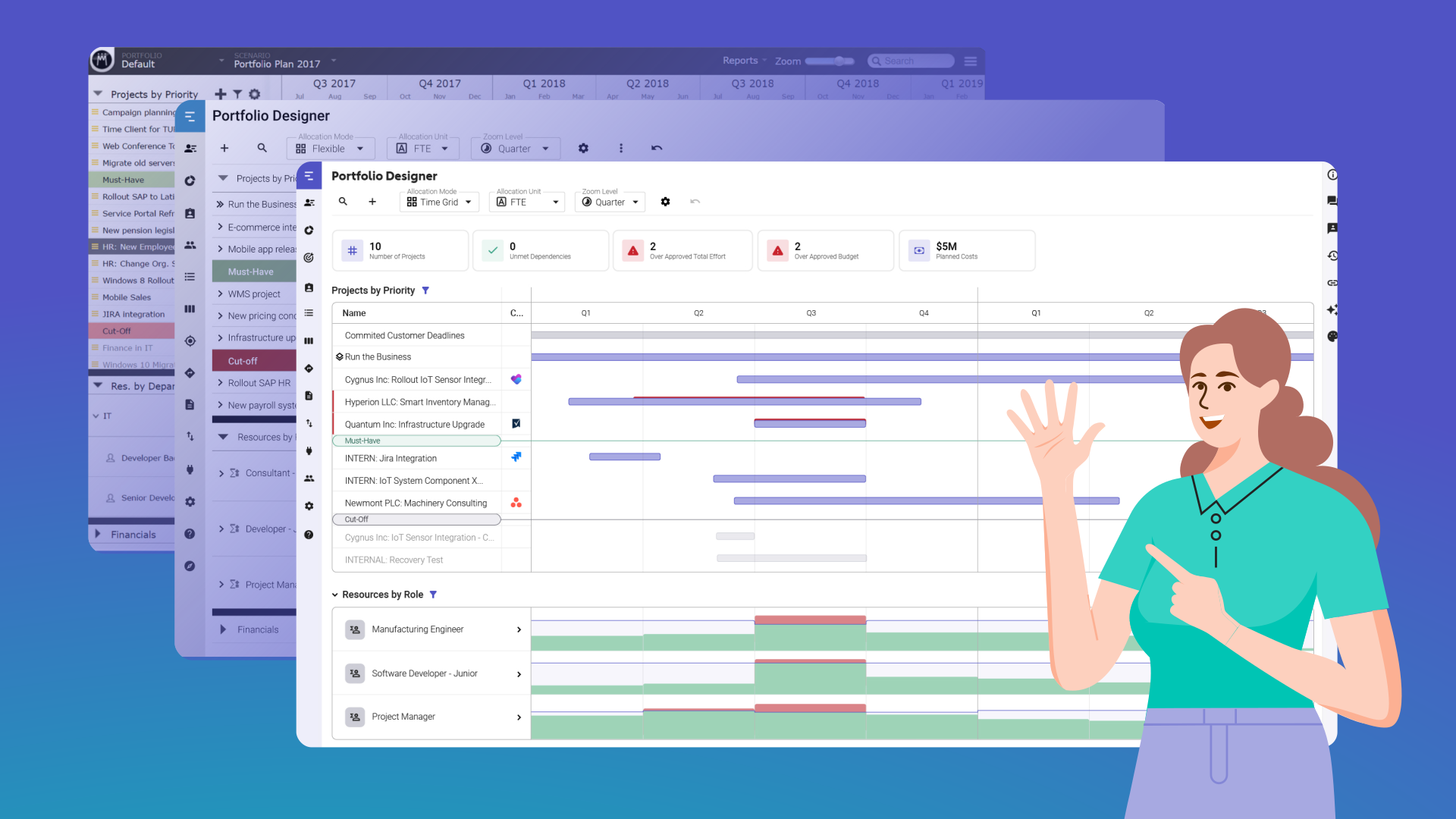

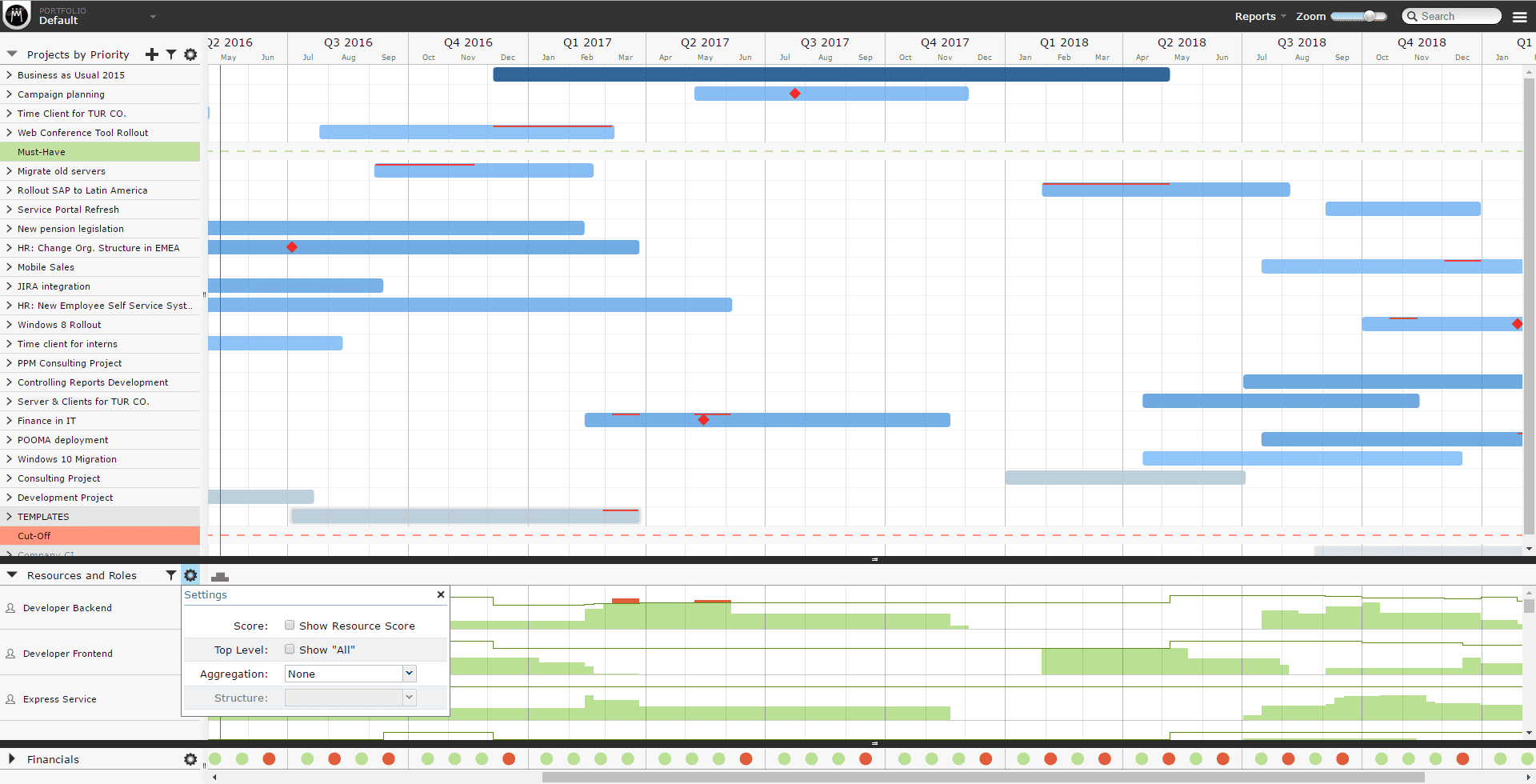
It’s hard to imagine now, but the Portfolio Designer was the only view in Meisterplan back when it all started in 2012! The software has come a long way since then, but the Portfolio Designer, with its iconic Gantt chartsGantt ChartsSynonym for → GanttA Gantt chart is a categorical list on a vertical (Y) axis mapped against time on a horizontal (X) axis and is used to visualize tasks or project plans into… and histogramsHistogramA histogram in resource management is a graphical representation that helps to keep track of personnel requirements and available capacities. It shows how often certain values (e.g., person days or…, has always remained the heart of Meisterplan.
Somewhere along the way, we realized that it was becoming a little outdated – in both looks and functionality. That’s why we launched a beta for the New Portfolio Designer in November 2025. We’ve been working hard on improvements since then, listening carefully to feedback from our users.
2016
2026
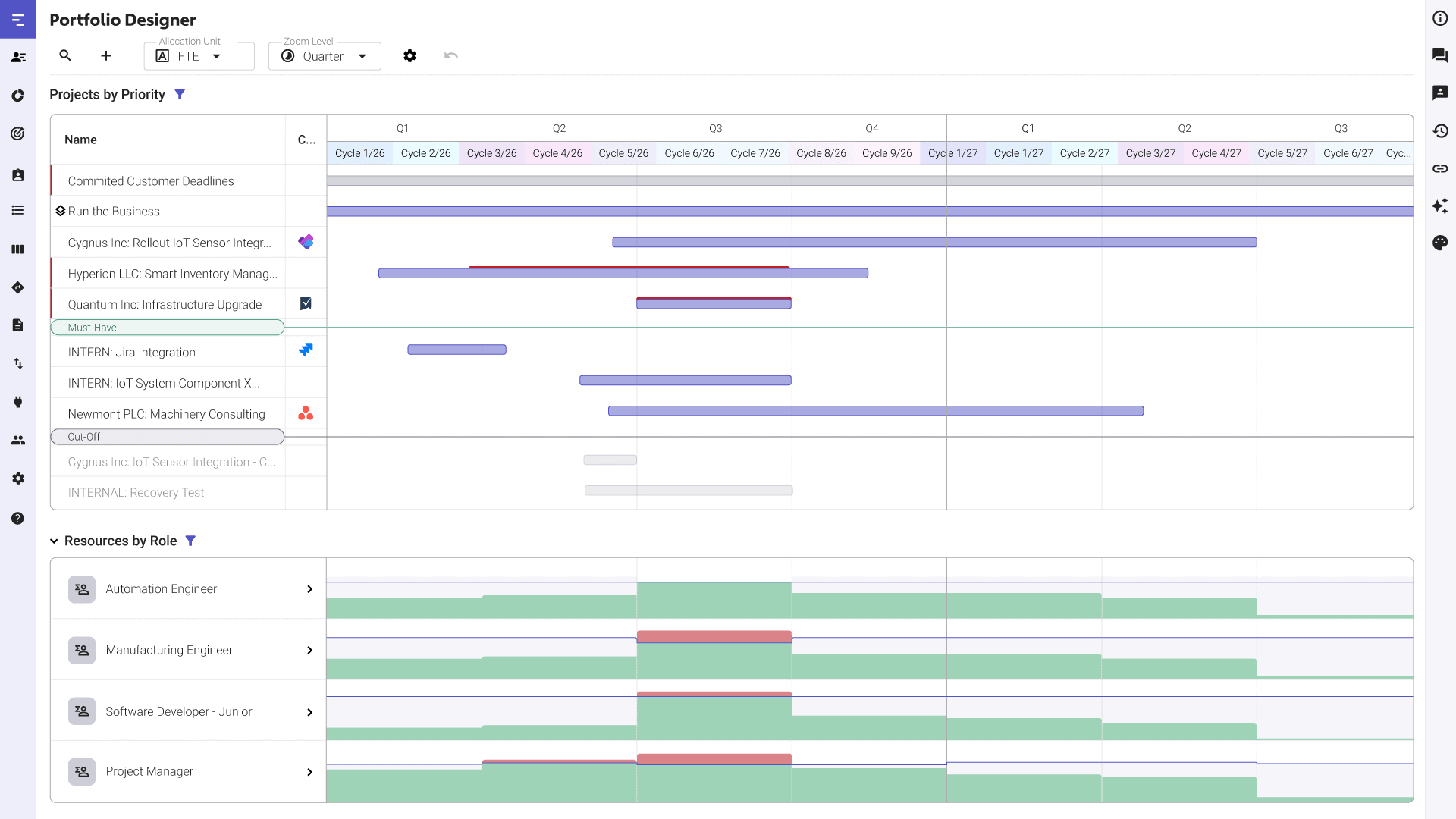
The beta is finally coming to an end soon, meaning we’ll be making the switch over to the New Portfolio Designer as the default view. Following the switch, we will sunset the legacy Portfolio Designer in 2027.
But what does that mean for users? A new view with new functionality sounds like a big change – but we promise it’s worth it! We’re really proud of the work we’ve put into it, and we’re sure you’ll love it too.
Here are five reasons to get excited about the updated Portfolio Designer:
#1 Performance Keeps Up with Your Portfolio
With fresh coding in the backend, you’ll see noticeable performance improvements in the new Portfolio Designer, especially when working with large data sets. The new interface is smoother, with reduced loading times, while remaining just as interactive as the previous version.
#2 Resource Conflicts Are Harder to Miss
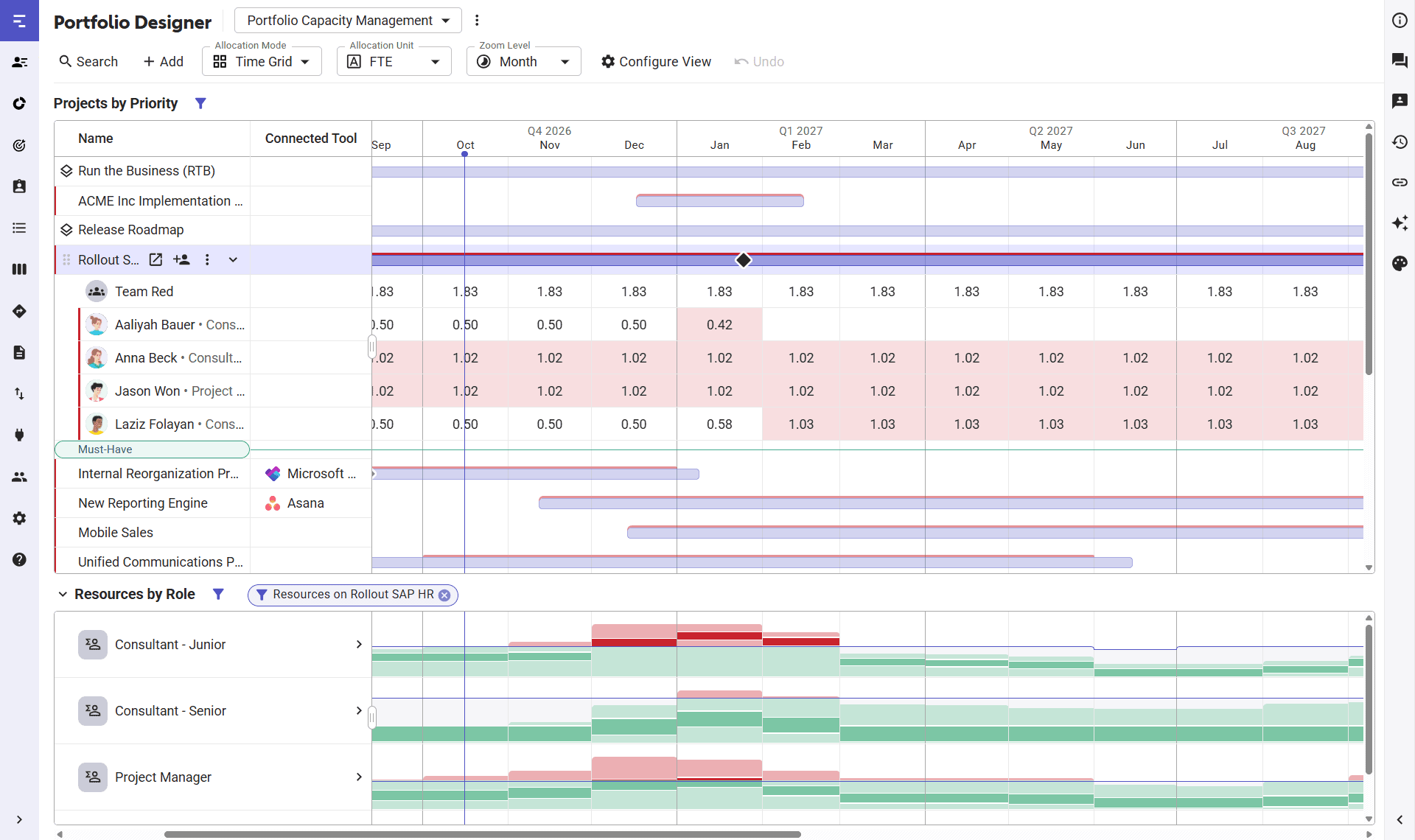
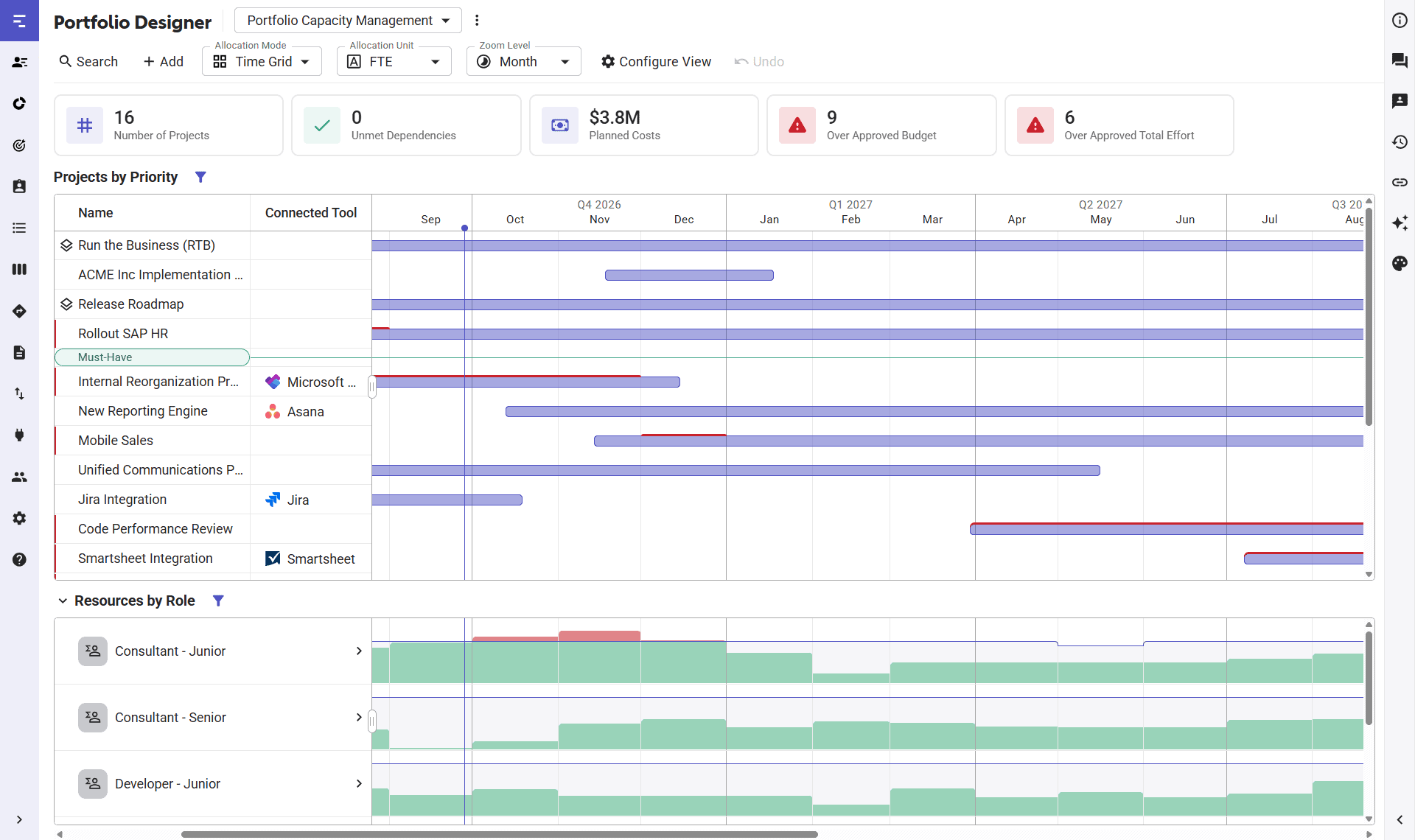
Just like in the old Portfolio Designer, projectsProjectA project is a time-limited undertaking with defined objectives and resources that delivers unique results and often includes complex tasks. with resourceResourceResources are all the people, places and things that you need to complete projects. The most important resource? Employees, of course! overallocations will appear with a red line above their GanttGanttA Gantt chart is a categorical list on a vertical (Y) axis mapped against time on a horizontal (X) axis and is used to visualize tasks or project plans into… bar. But it doesn’t stop there – projects with overallocations will also be marked with a red line next to their name in the list on the lefthand side.
Additionally, when you expand a project to adjust allocationsAllocationAllocating describes the strategic process of identifying the correct resources for projects or individual tasks and assigning them accordingly., you’ll also see the overallocated cells highlighted in red, just like you would in the Team Planner.
With these changes, overallocations are immediately visible for each project and you’ll know what needs to be adjusted, regardless of whether the histogramHistogramA histogram in resource management is a graphical representation that helps to keep track of personnel requirements and available capacities. It shows how often certain values (e.g., person days or… is expanded or collapsed.
#3 Your Workspace Adapts to Your Needs
Flexibly customize the Portfolio Designer to suit your context. Resize, minimize, or hide elements based on how you use Meisterplan.
For example, you can add additional columns next to the projectProjectA project is a time-limited undertaking with defined objectives and resources that delivers unique results and often includes complex tasks. names to show more details without navigating away from the view.
Or, use custom Time Intervals if you plan in cycles outside of months, quarters, or years.
Or, configure a Portfolio Health section above your main view to see relevant KPIs and know when action is needed.
#4 It’s Still the Same Portfolio Designer You Love
The new Portfolio Designer has a clean and modernized look, but you won’t need any additional onboarding or training to get the hang of things. You also won’t need to migrate any of your data. Underneath the shiny new appearance, it’s still the same Portfolio Designer that you know and love – just with a few improvements.
In the face of this change, here are five things that definitely haven’t changed:
- Your projectsProjectA project is a time-limited undertaking with defined objectives and resources that delivers unique results and often includes complex tasks.
- Your resourcesResourceResources are all the people, places and things that you need to complete projects. The most important resource? Employees, of course!
- Your workflows
- Your planning logic
- Your expertise
#5 It Sets the Foundation for What’s Next
This new version lays the groundwork for future improvements. With the new Portfolio Designer in place, we’ll be able to work on new feature requests even more efficiently. This way, Meisterplan can continue to grow based on what our customers actually want.
If you have any feature requests, or you’re just curious about what our team is currently working on, take a look at our Public Product Roadmap.
Read Next

Turn Your AI into a Real Portfolio Assistant with Meisterplan’s MCP
Meisterplan’s MCP is here. Connect your project portfolio to AI and get smarter answers, better insights, and more efficient portfolio management.

The “Unexciting” Feature Customers Can’t Get Enough Of
How our Microsoft PowerPoint Export feature started as a simple concept and ended up being a massive time-saver for project reporting.