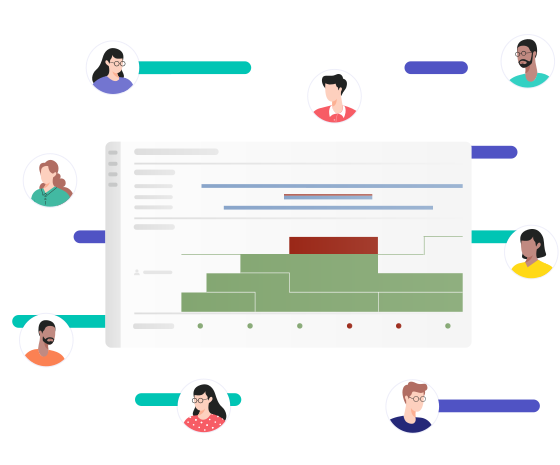

Create a Realistic
Overview
See how much capacity your teams have available by accounting for all future commitments and potential roadblocks.

Manage Requests
and Conflicts
Always staff people with the right skills and availability on new projects, and find ad-hoc solutions when issues arise.

Monitor and Predict
Utilization
Align available resources to demands and make decisions based on accurate reports and simulations.
Leading Companies Manage Their Resources with Meisterplan










Ensure Reliable Resource Data for Project Planning
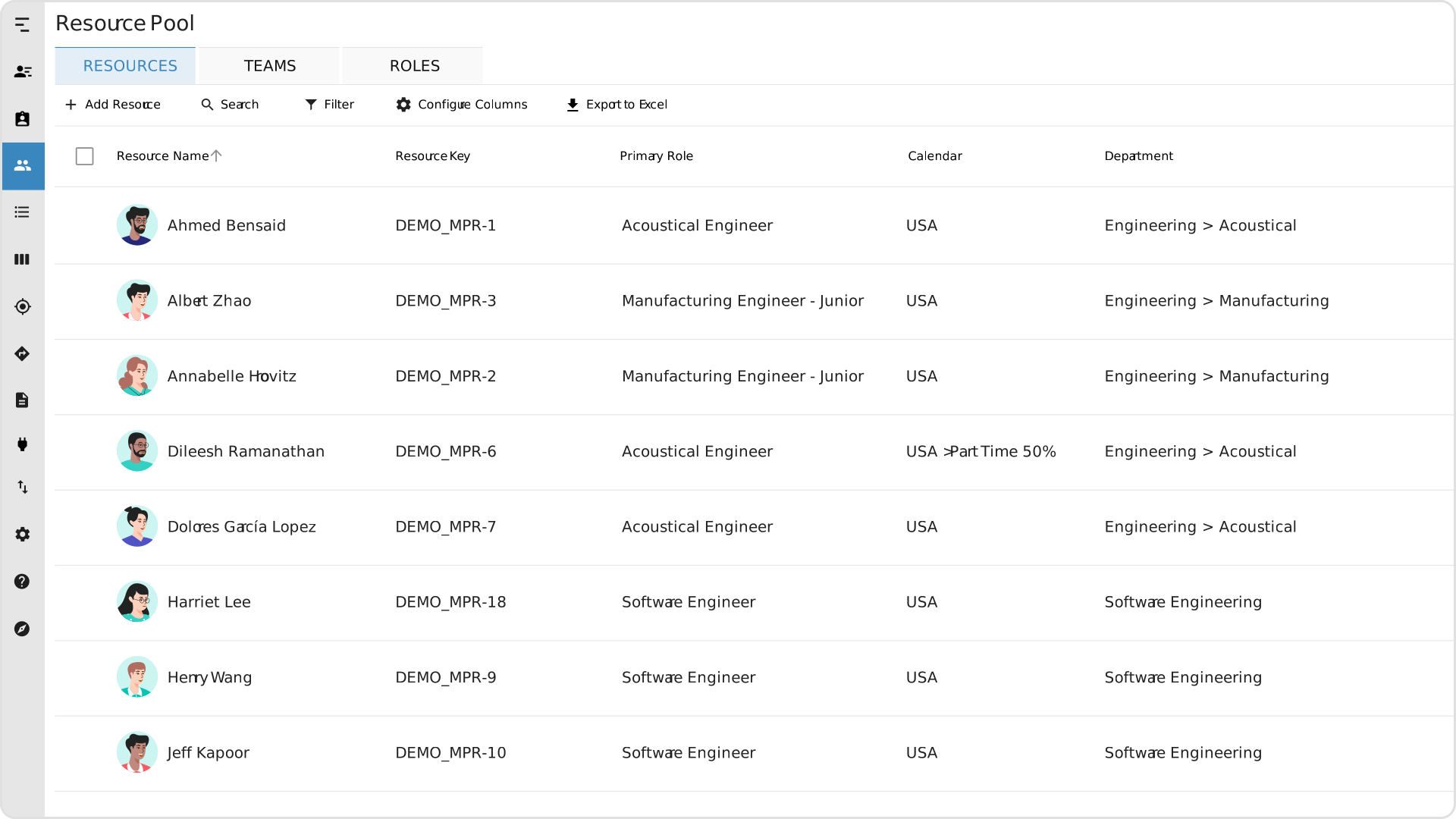
Establish a foundation for resource managementResource ManagementWhen it comes to resource management, the focus is on the optimal planning, coordination and monitoring of resources. The term “resources” includes things like employees, budgets, materials and time. in the Resource Pool with all relevant data in one place, such as working time models, planned absences, and custom fields. Organize employeesEmployeesSynonym for → ResourceResources are all the people, places and things that you need to complete projects. The most important resource? Employees, of course! into teams, or plan on the role or individual level for maximum capacity transparency.
Visualize How Capacity and Initiatives Fit Together
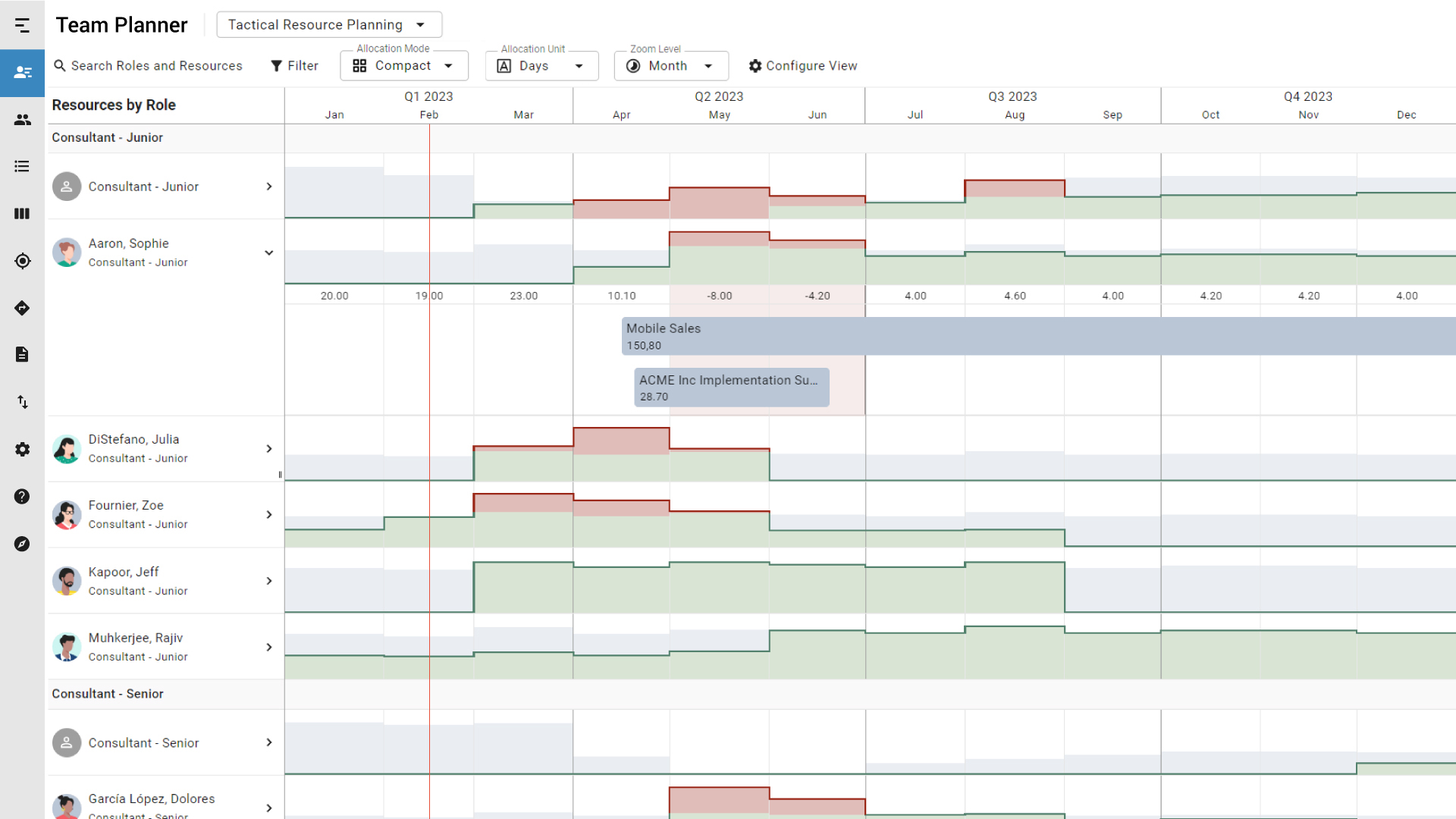
Balance up-to-date commitments and capacity in the Team Planner‘s Compact Mode. With a histogramHistogramA histogram in resource management is a graphical representation that helps to keep track of personnel requirements and available capacities. It shows how often certain values (e.g., person days or… that’s customized to your resourcesResourceResources are all the people, places and things that you need to complete projects. The most important resource? Employees, of course!, teams, and roles, you’ll get a full overview of so you can guarantee a reasonable workload for everyone.
Compare Scenarios and Allocate People to Priority Topics
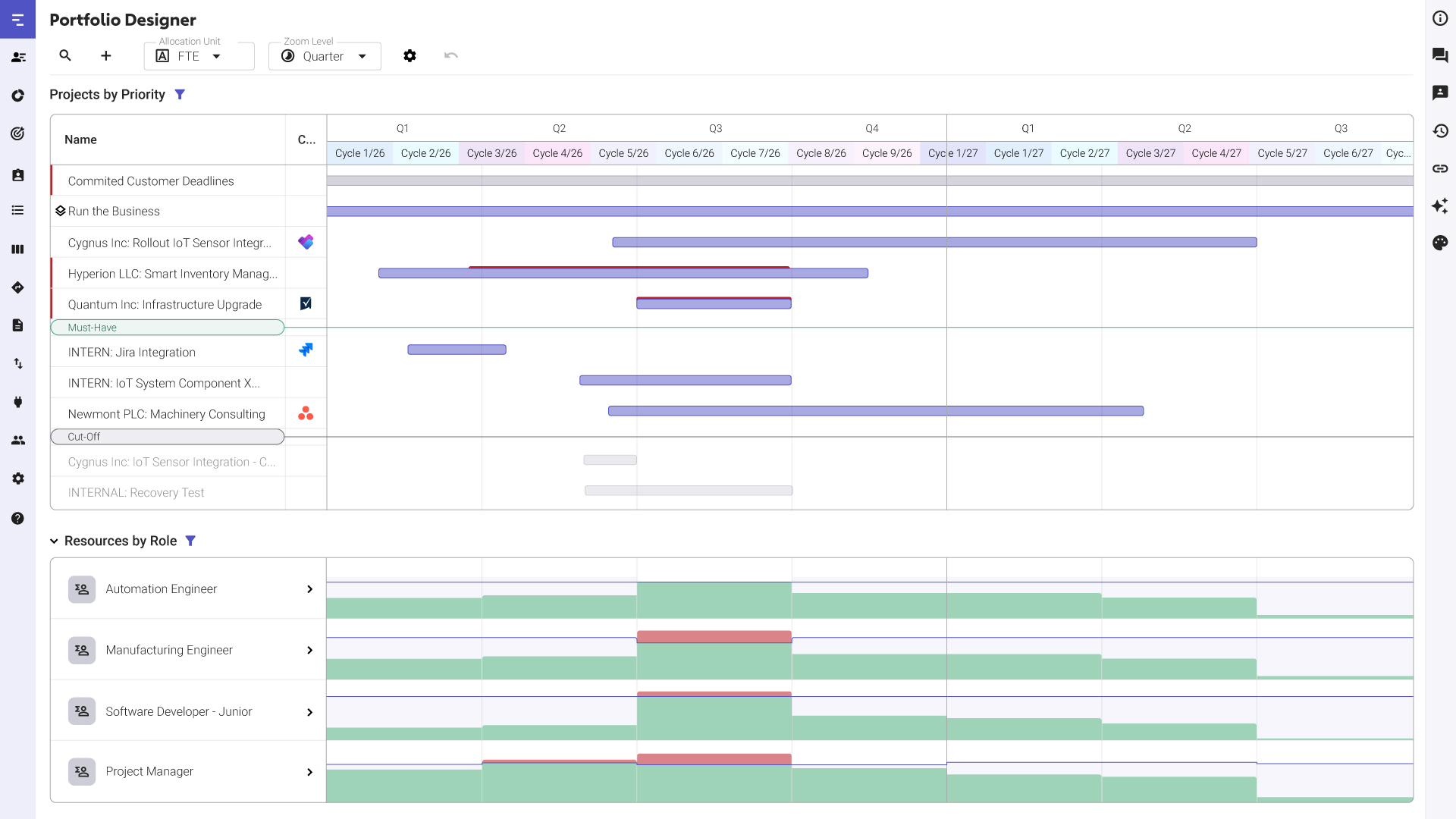
Test the impact on your portfolio when hiring new people or shifting existing capacity across projectsProjectA project is a time-limited undertaking with defined objectives and resources that delivers unique results and often includes complex tasks. in the Portfolio Designer. This centralized view allows you to select the best possible plan so you can avoid wasting time on the wrong topics and focus your time on the right topics.
Staff the Best-Suited Resources to Your Projects
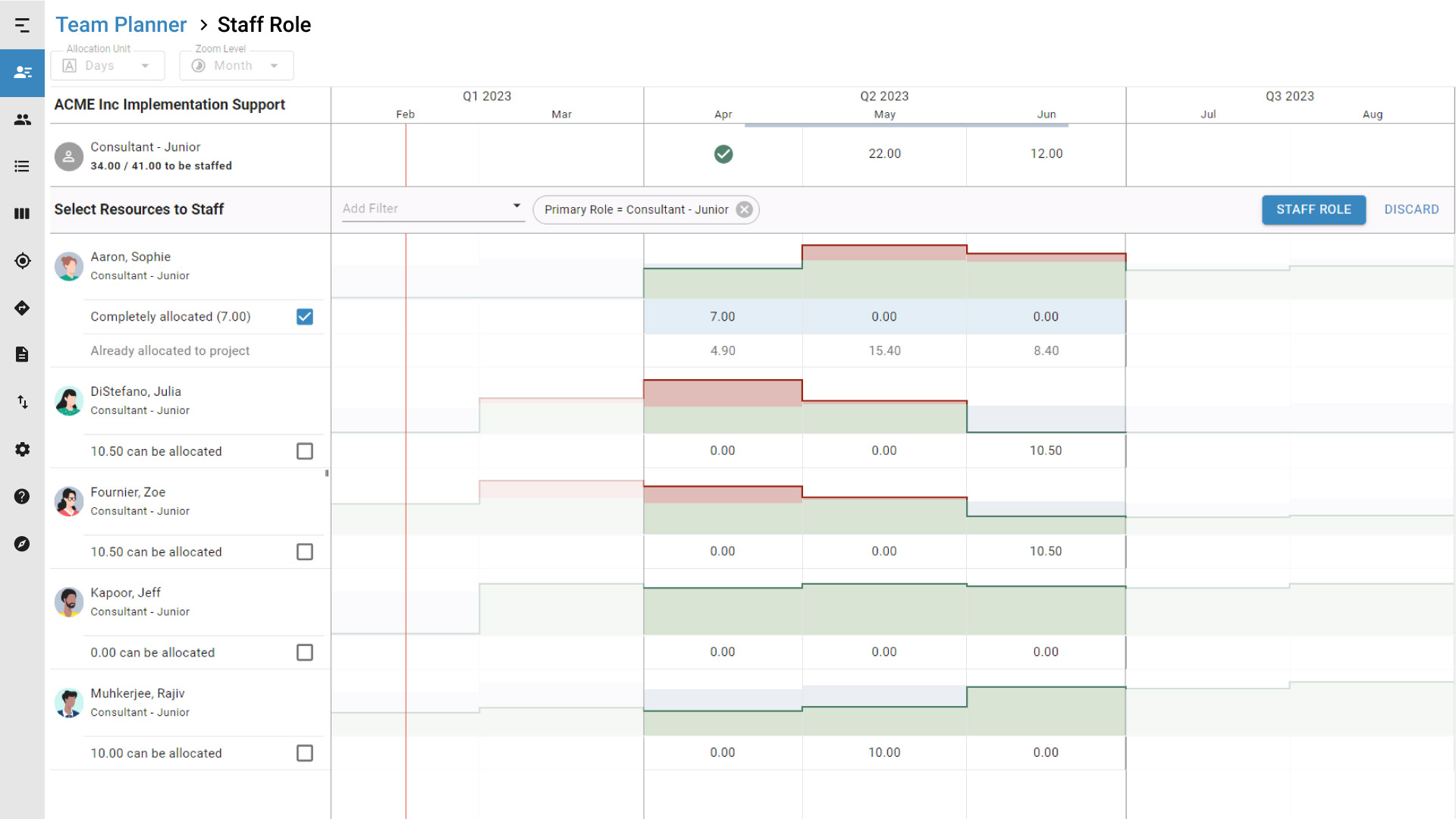
Use the Staff Role Mode to filter for resourcesResourceResources are all the people, places and things that you need to complete projects. The most important resource? Employees, of course! in order of availability, so you can find the right people and fulfill incoming requests. This supports resource managers in complex role-staffing situations with live previews of potential overallocations.
Communicate on Demand Changes
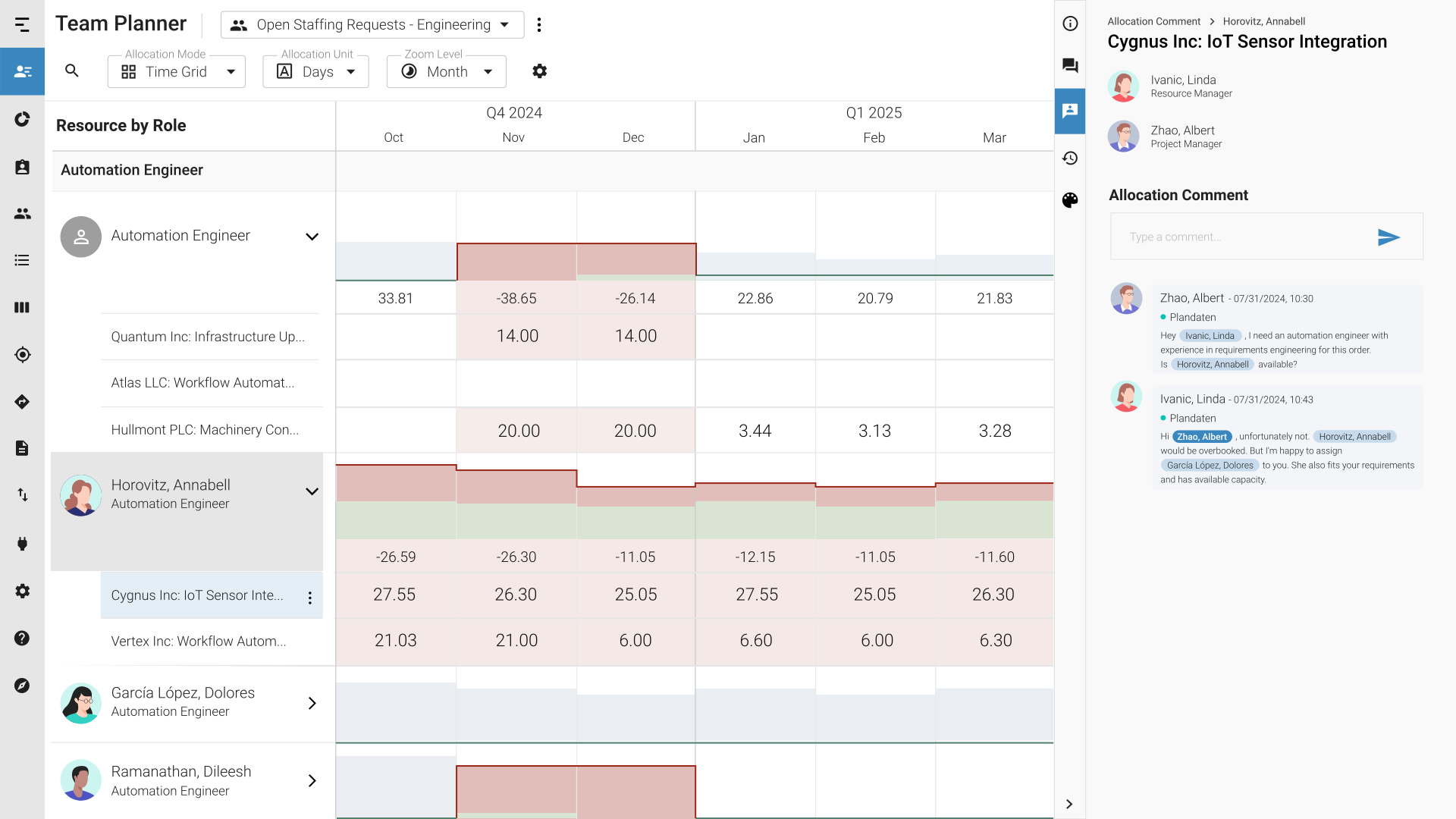
Leave comments on projectsProjectA project is a time-limited undertaking with defined objectives and resources that delivers unique results and often includes complex tasks. and allocationsAllocationAllocating describes the strategic process of identifying the correct resources for projects or individual tasks and assigning them accordingly. to easily communicate changes (e.g., delayed start dates or shifting priorities) and point people to where action is needed. Resource managers can flexibly react to changes to demand.
Report on Resource Utilization to Inform Strategic Decisions
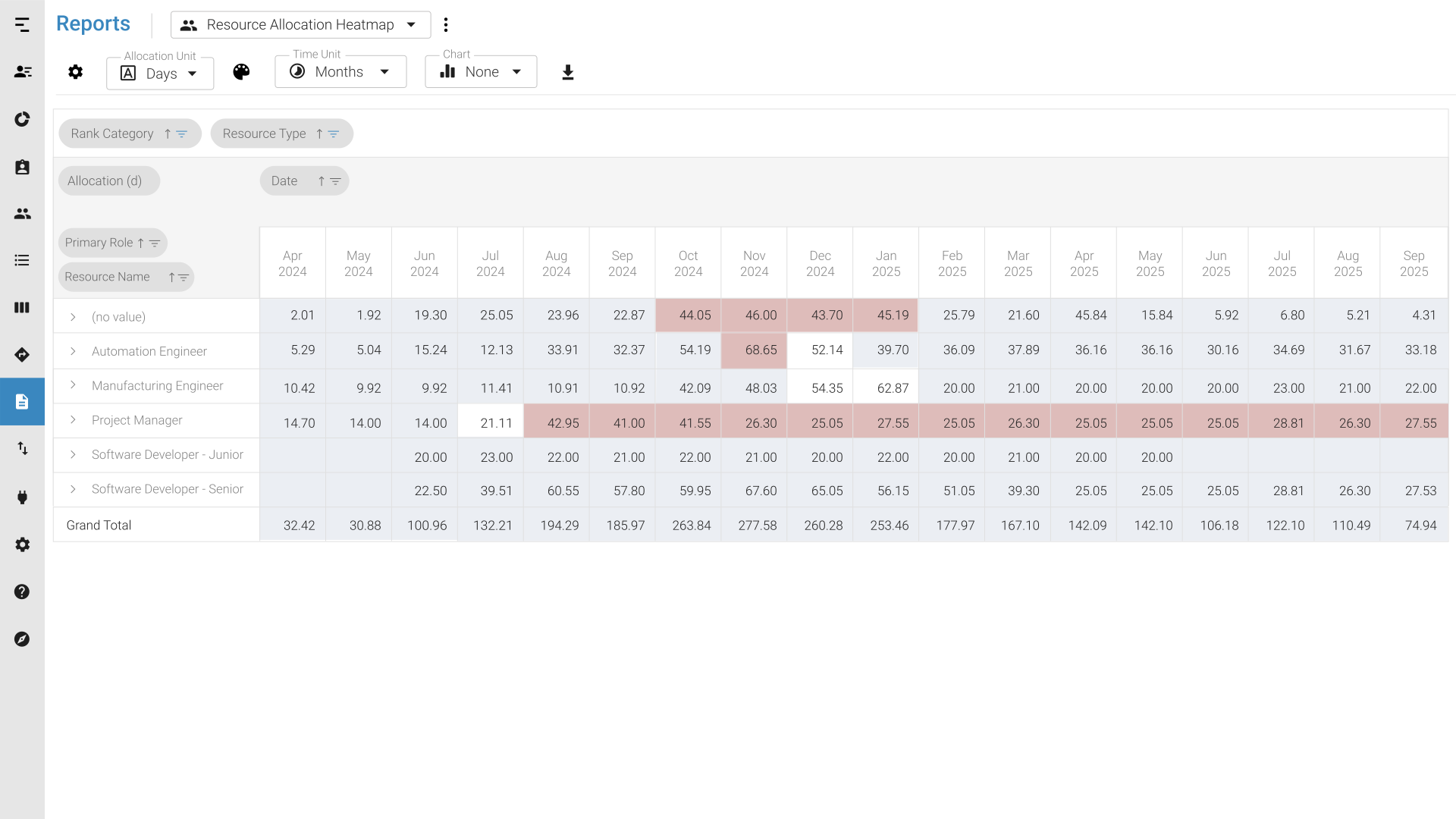
Identify and directly report on areas of high or low activity along with detailed corresponding values using a heatmap report. Pick out patterns, trends, and anomalies of resource utilization across large datasets and intuitively interpret them thanks to their clear color-coding.
What Barry loves about Meisterplan
I give Meisterplan an A+ for the experience of modifying the project timeline and resourcing. Consider this model if you’ve struggled to forecast resource capacity using spreadsheets or large commercial tools.
What Felix loves about Meisterplan
Meisterplan opened our eyes to resource bottlenecks and new portfolio solutions.

What Christopher loves about Meisterplan
When you don’t have a resource management tool you end up putting work on people without knowing how loaded they are. That leads to health problems, such as stress. It leads to people working ridiculously long hours. The retention of your staff goes down. With Meisterplan, we can protect our people.

What Bredon loves about Meisterplan
Meisterplan filled a significant gap for us in understanding how we are utilizing our capacity. We now have a much better idea when we need to either say no to new projects or adjust timelines and team members assigned to projects. No other tool gave us this high-level view. It brought our stress level down.
What Marcus loves about Meisterplan
With Meisterplan, our resource utilization is more transparent. Due to the seamless integration into our existing processes, we can increase the satisfaction of both our customers and employees.

Resource Management Can Be Simple!
See for yourself with a 30-day free trial of Meisterplan.
Test out the full functionality at no cost.