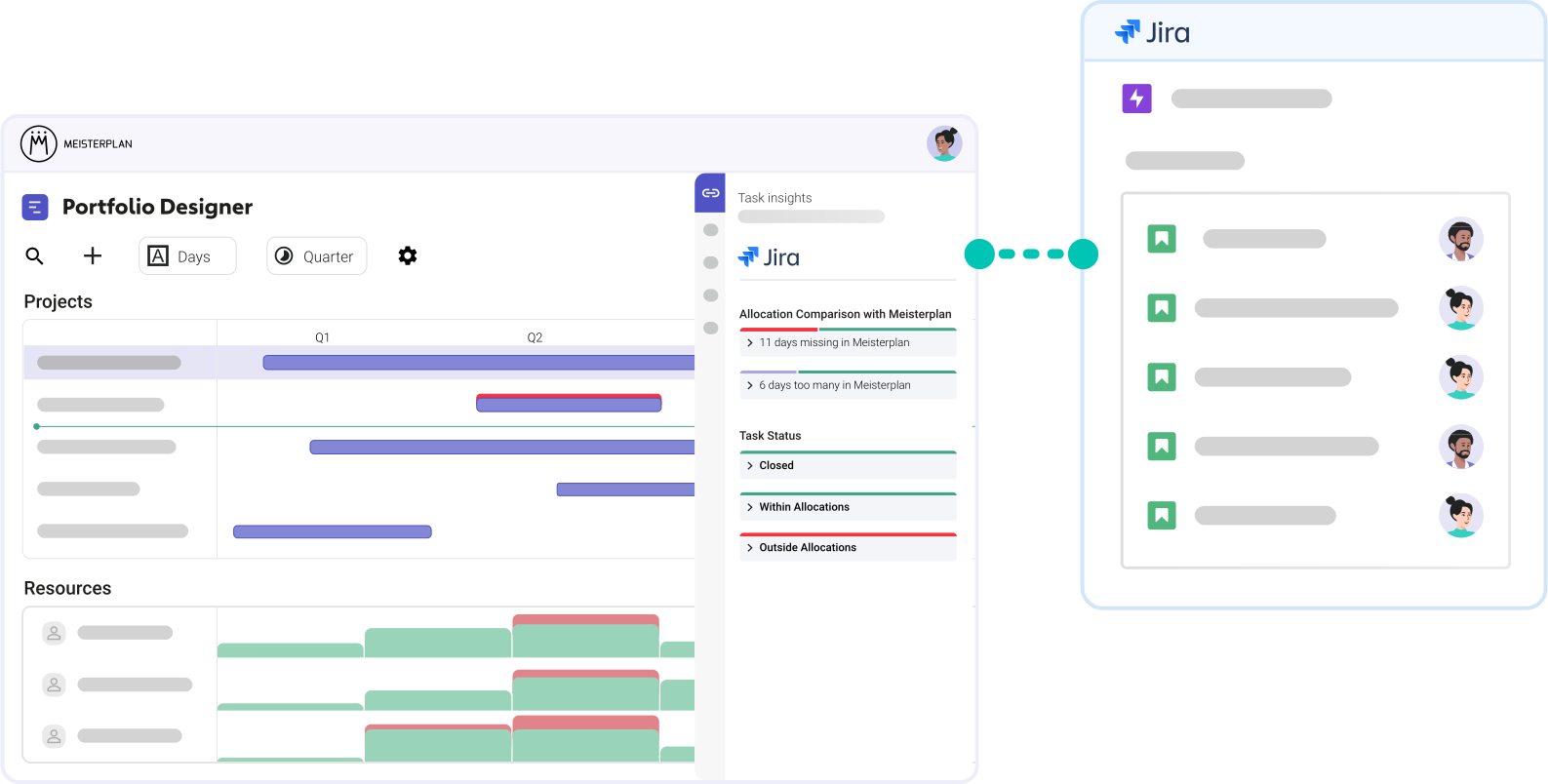
It Just Works,
No Matter How You Use Jira
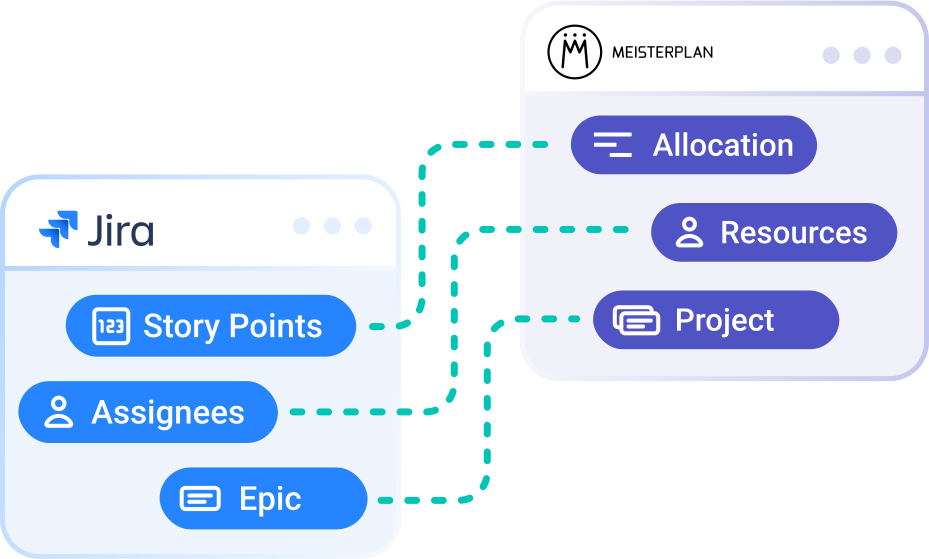
Translate all standard planning elements from Jira for your management team and for your portfolio planning. We automatically convert effort in Jira (e.g., story points or estimates) into capacity, epics into projects, and assignees into portfolio resources — without disrupting your teams’ workflows.
- Built for any workflow: Whether agile, waterfall, or hybrid — we fit right in.
- Starts small: An epic, an assignee, and a timeframe are all you need to get going.
- Supports all standard objects: Click here for a full overview
Try It Yourself in 4 Simple Steps
No Extra Effort for Your Teams
Step 1:
Start your free trial, click the + icon on the top left of the Portfolio Designer, and select "Import Projects".
Step 2:

Select Jira and enter your Jira URL, username, and API token.
Step 3:

Select the projects you want to import into Meisterplan.
Step 4:
Open the Information Panel for a selected project or go to the "Task Timeline" tab in the Project Details to view your task data in Meisterplan.
Better Together: Jira & Meisterplan
Once you’ve completed the initial import of your Jira epics and enriched your data in Meisterplan, your workflow should look like this:
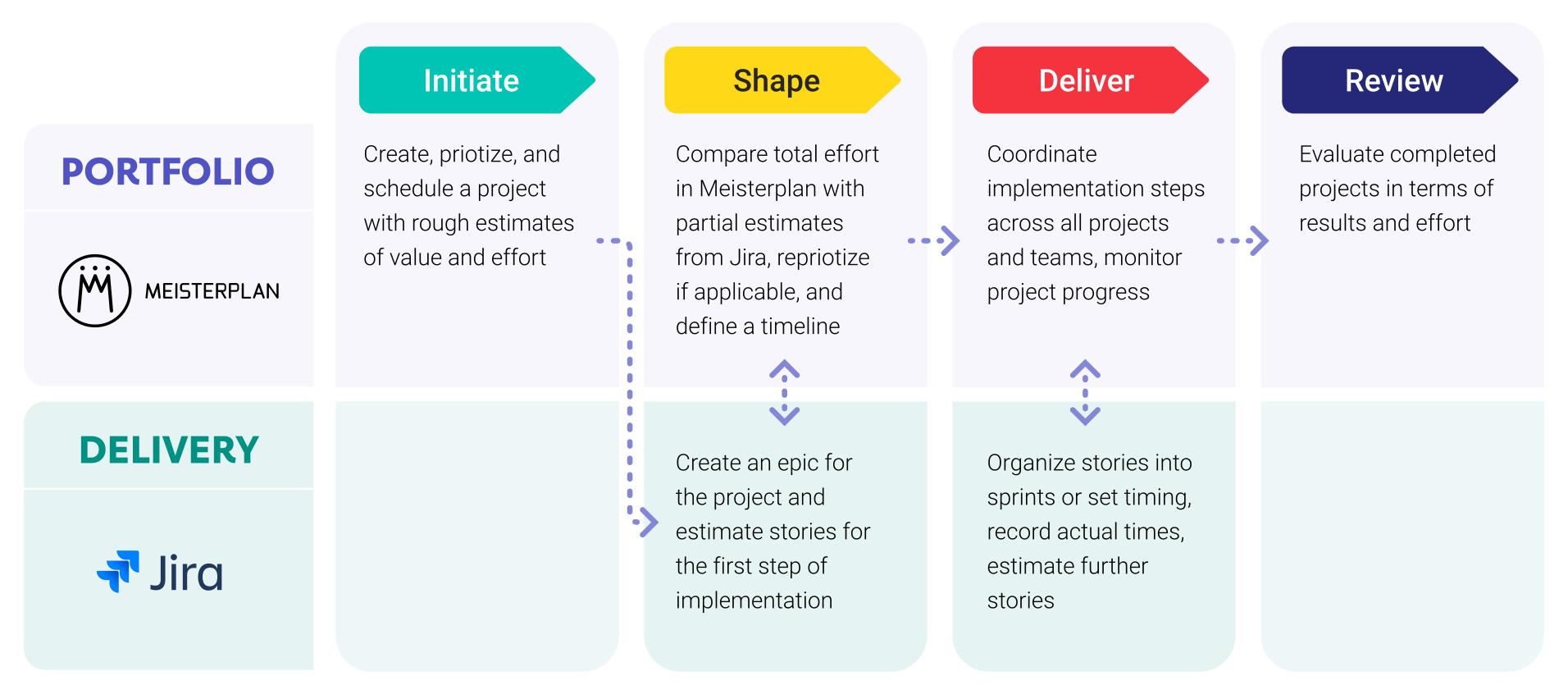
Leveraging Jira Data in Meisterplan

Everyone started to see Meisterplan as the endpoint — the place where all data flows and where we make sense of everything. It gives us the executive view, the ability to plan, and the confidence to make decisions.
FAQ
Frequently asked questions about the Jira and Meisterplan integration.
Yes, you can connect up to 100 different Jira instances to Meisterplan simultaneously.
Yes, you can easily integrate the same instance multiple times using different settings. This is especially helpful if different departments have configured their Jira workflows differently.
Bidirectional field synchronization is possible, but it will only be active if you explicitly enable it. When it is disabled, data only flows from Jira to Meisterplan in one direction.
Yes, using JQL, you can specify exactly which issues you would like to link with projectsProjectA project is a time-limited undertaking with defined objectives and resources that delivers unique results and often includes complex tasks. in Meisterplan.
We recommend creating a service account with its own API token. This keeps the integrationIntegrationAn integration is a virtual interface that connects different software programs and enables automated data exchange between them. This allows for more efficient processes, better planning, and consistent information. stable and independent of specific user accounts.
Yes, you can import both planned efforts and actual logged time from Jira into Meisterplan and compare them using our built-in reporting features.
You can designate a specific work type from your Jira instance as a milestoneMilestoneIn project portfolio management, a milestone marks an important point in a project’s progress that requires monitoring or decision-making. Milestones indicate project phases, marking the completion of objectives or the… in Meisterplan. We recommend creating a custom work type for this, which will then sync automatically.
Yes, the integration works seamlessly whether you use story points, original estimates, or any other effort fields mapped in Jira.
Meisterplan syncs the data whenever you work with a linked project. Additionally, a global data sync runs automatically once every night.
No, once the initial setup is complete, there is no ongoing maintenance required on your end.
To use the Jira integration, you need to have either the Meisterplan Pro or Premium edition.

Ready for the next step?
Take a trial today. Try Meisterplan for free for 30 days with your own data and full product functionality.