Ready to Use,
No Matter How You Use Asana
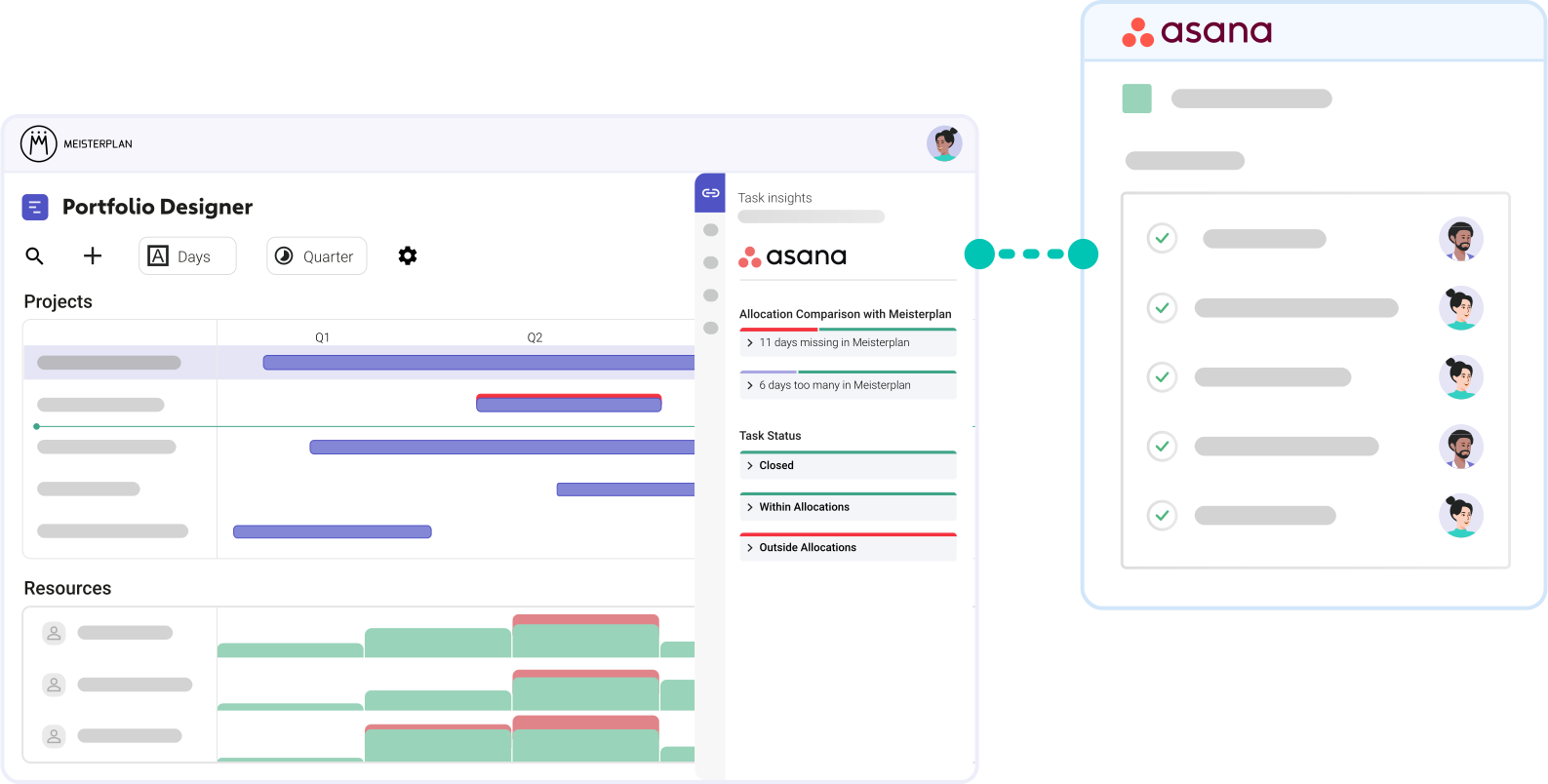
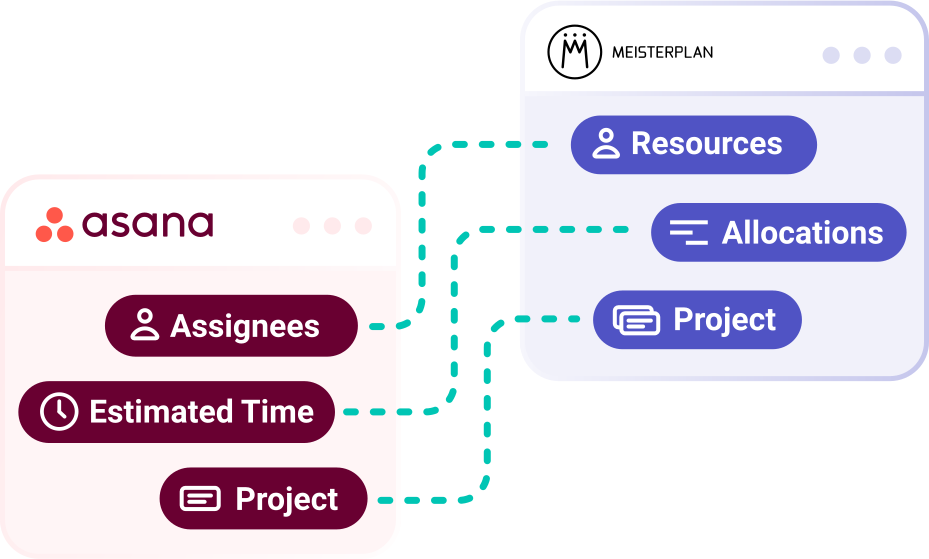
Translate all common planning elements from Asana into your portfolio plan. We link projects, convert hours into FTEs, and create the right portfolio resources for Asana assignees—with zero manual effort for your teams.
- Fits your workflow regardless of whether you work agile or how you plan in Asana’s board, list, or timeline views.
- Starts small with projects, assignees, and timings to get you started.
- Comprehensive mapping from tasks and efforts to dependencies.
How to Test Our Asana Integration
No Extra Effort for Your Teams | No Overwriting Data in Asana
Step 1:
Start your free trial, click the + icon on the top left of the Portfolio Designer, and select "Import Projects".
Step 2:

Select Asana and the workspace you want to import projects from.
Step 3:

Select the projects you want to import into Meisterplan.
Step 4:
Open the Information Panel for a selected project or go to the "Task Timeline" tab in the Project Details to view your task data in Meisterplan.
Better Together: Asana & Meisterplan
Once you’ve completed the initial import of your Asana projects and enriched your data in Meisterplan, your workflow should look like this:
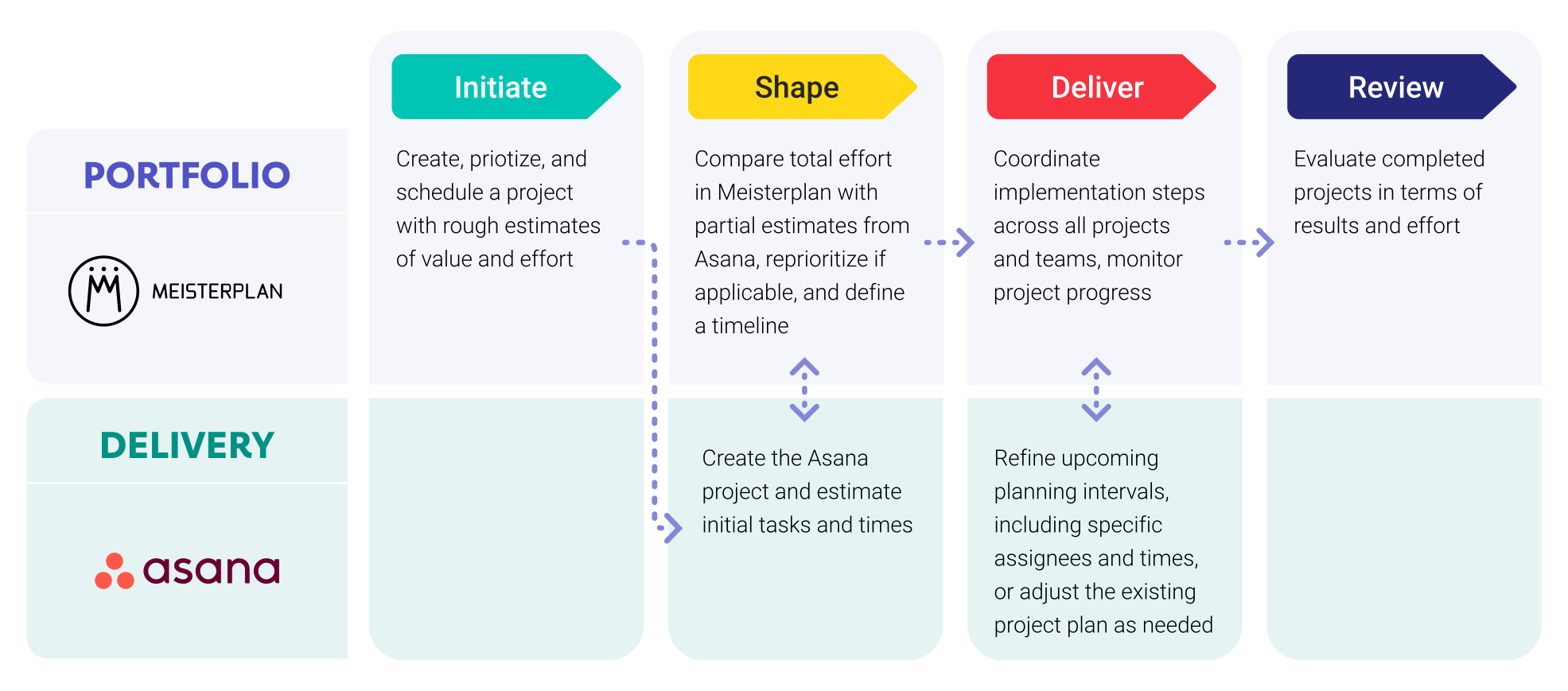
Leveraging Asana Data in Meisterplan

Everyone started to see Meisterplan as the endpoint — the place where all data flows and where we make sense of everything. It gives us the executive view, the ability to plan, and the confidence to make decisions.
FAQ
Frequently asked questions about the Asana and Meisterplan integration.
Yes, you can easily link multiple workspaces to Meisterplan simultaneously.
Yes, you can integrate a system multiple times with different settings. This is particularly helpful if various departments have set Asana up differently.
No, Meisterplan does not currently overwrite any data in Asana. While we are working on field synchronization, it will only become active if you choose to enable it.
We authenticate you automatically via OAuth2.
The comparison of planned and actual effort is upcoming but not currently possible.
The import of milestonesMilestoneIn project portfolio management, a milestone marks an important point in a project’s progress that requires monitoring or decision-making. Milestones indicate project phases, marking the completion of objectives or the… is planned but not currently possible.
We pull hours or days directly from Asana, either 1:1 or converted into FTEsFTEsSynonym for → Full-Time EquivalentFull-time equivalents (FTEs) are a standardized unit of measurement in resource management representing the full-time capacity of a single worker..
Meisterplan synchronizes data whenever you work with a linked projectProjectA project is a time-limited undertaking with defined objectives and resources that delivers unique results and often includes complex tasks.. In addition, data is reconciled globally once per night.
No, there is no further effort required on your part after the initial setup.
To use the Asana integrationIntegrationAn integration is a virtual interface that connects different software programs and enables automated data exchange between them. This allows for more efficient processes, better planning, and consistent information., you need the Meisterplan Pro or Premium Edition (excluding On-Premise). We also recommend at least the Asana Starter plan so that you can plan efforts.
To see tasks, sort the Task Timeline by date instead of by sprint. For tasks to be displayed correctly on our Task Timeline, they must have a start and end date.

Try our project portfolio management software
Our free trial is ready for you to start in just a few minutes and without a credit card.