Ready to Connect to All Your Wrike Spaces
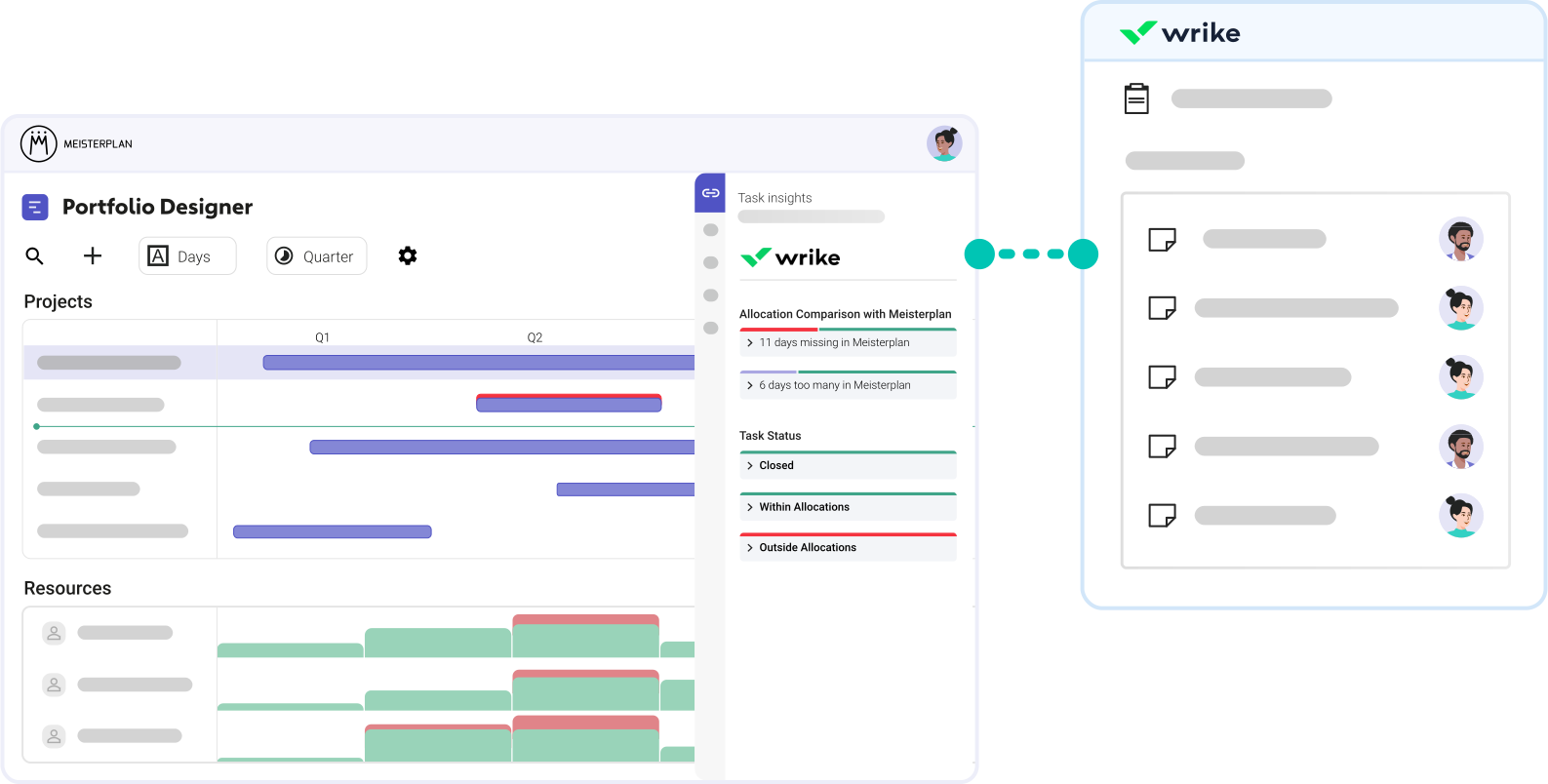
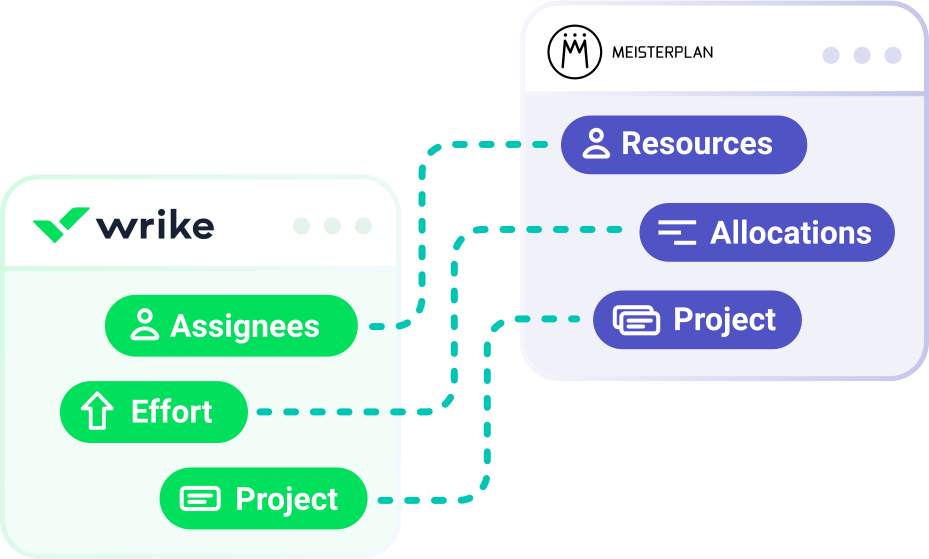
Translate planning elements from Wrike into your portfolio plan across all your spaces. We map projects, including all tasks, and link effort to allocations—without your teams having to lift a finger.
- Suitable for all workflows: No matter how many different spaces, configurations, or teams you work with.
- Ready for use with minimal data: Projects with assignees and high-level timing are enough to get started.
- Detailed mapping: We also support subtasks and multiple assignees per task.
How to Test Our Wrike Integration
No Extra Effort for Your Teams | No Overwriting Data in Wrike
Step 1:
Start your free trial, click the + icon on the top left of the Portfolio Designer, and select "Import Projects".
Step 2:

Select Wrike and the space you want to import projects from.
Step 3:

Select the projects you want to import into Meisterplan.
Step 4:
Open the Information Panel for a selected project or go to the "Task Timeline" tab in the Project Details to view your task data in Meisterplan.
Better Together: Wrike & Meisterplan
Once you’ve completed the initial import of your Wrike projects and enriched your data in Meisterplan, your workflow should look like this:
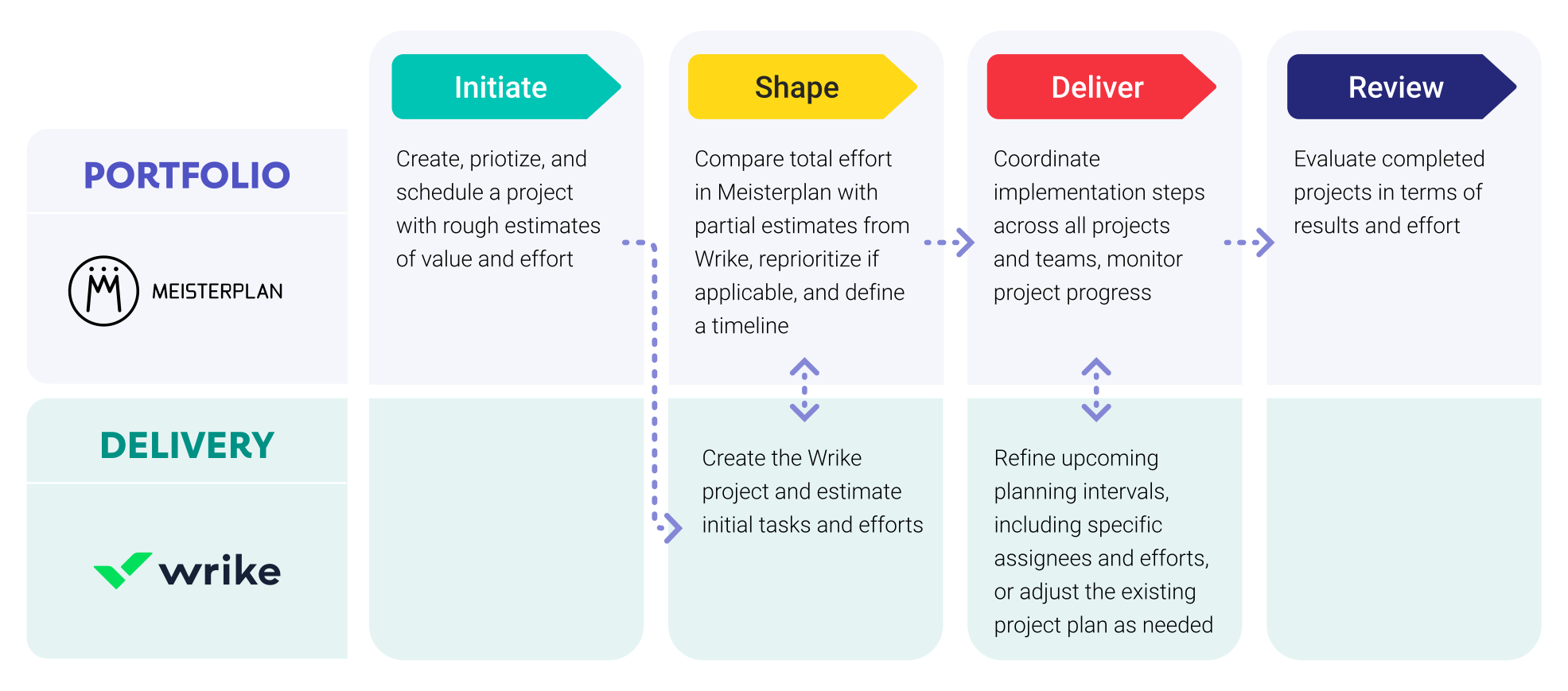
Leveraging Wrike Data in Meisterplan

Everyone started to see Meisterplan as the endpoint — the place where all data flows and where we make sense of everything. It gives us the executive view, the ability to plan, and the confidence to make decisions.
FAQ
Frequently asked questions about the Wrike and Meisterplan integration.
Yes, you can create a separate link for each space.
Ensure that you only import the projectProjectA project is a time-limited undertaking with defined objectives and resources that delivers unique results and often includes complex tasks. from one space; otherwise, it will be created multiple times in Meisterplan.
Yes, projects must be assigned to a space for us to import them.
Yes, you can integrate a system multiple times with different settings. This is particularly helpful if various departments have set Wrike up differently.
We also import multiple assignees on a single task. In this case, the planned effort is distributed equally between them (excluding Flexible Effort mode).
Yes, however, they are displayed as equivalent to tasks and are not shown in a subordinate hierarchy.
No, Meisterplan only uses effort that can be assigned to a resourceResourceResources are all the people, places and things that you need to complete projects. The most important resource? Employees, of course!.
No, Meisterplan does not currently overwrite any data in Wrike. While we are working on field synchronization, it will only become active if you choose to enable it.
We authenticate you automatically via OAuth2.
The comparison of planned and actual effort is upcoming but not currently possible.
The import of milestonesMilestoneIn project portfolio management, a milestone marks an important point in a project’s progress that requires monitoring or decision-making. Milestones indicate project phases, marking the completion of objectives or the… is planned but not currently possible.
Meisterplan synchronizes data whenever you work with a linked project. In addition, data is reconciled globally once per night.
No, there is no further effort required on your part after the initial setup.
To use the Wrike integrationIntegrationAn integration is a virtual interface that connects different software programs and enables automated data exchange between them. This allows for more efficient processes, better planning, and consistent information., you need the Meisterplan Pro or Premium Edition (excluding On-Premise).
To see tasks, sort the Task Timeline by date instead of by sprint. For tasks to be displayed correctly on our Task Timeline, they must have a start and end date.

Try our project portfolio management software
Our free trial is ready for you to start in just a few minutes and without a credit card.