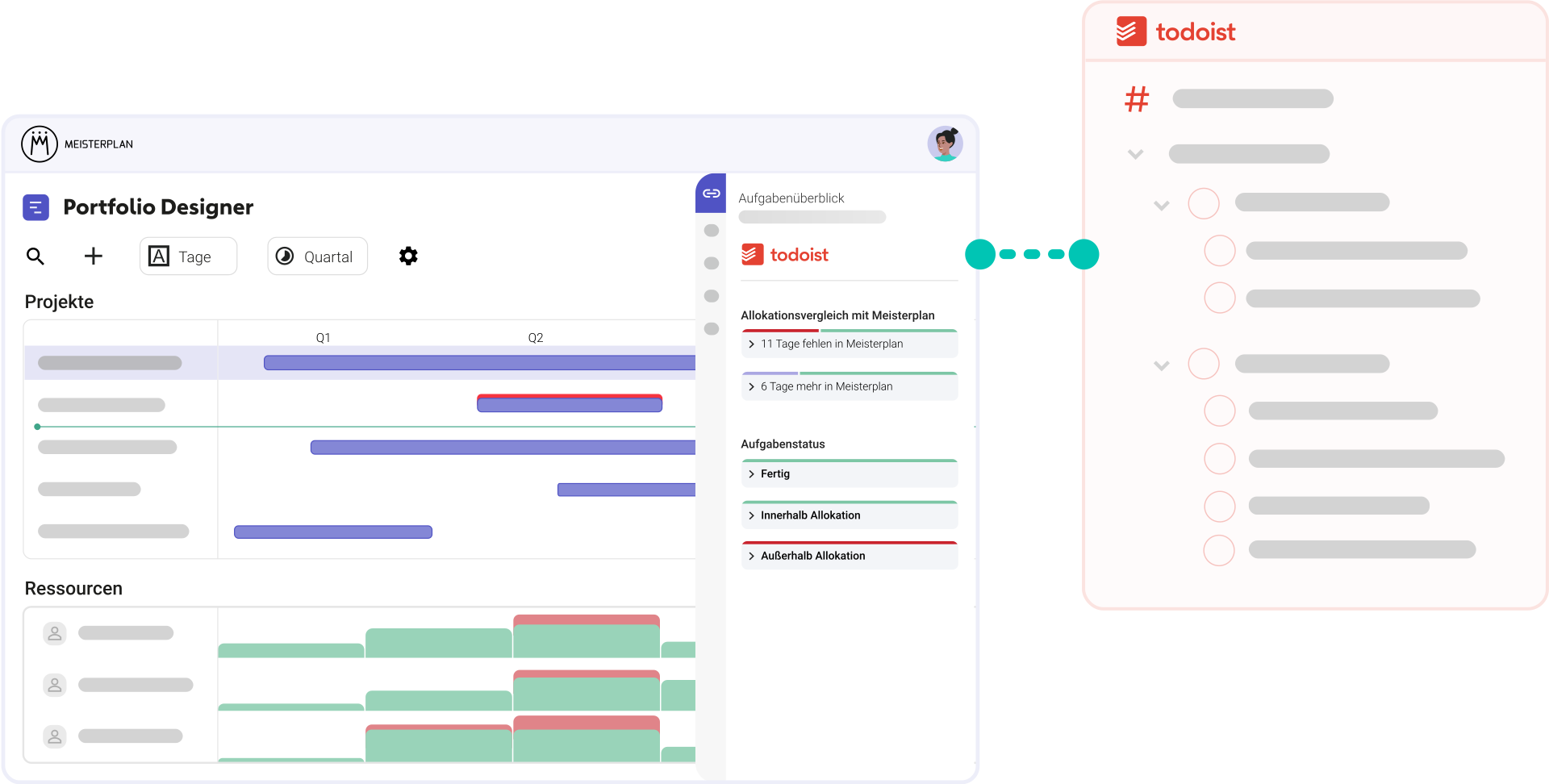
Easily Connect Your Portfolio With Your Team Workspaces
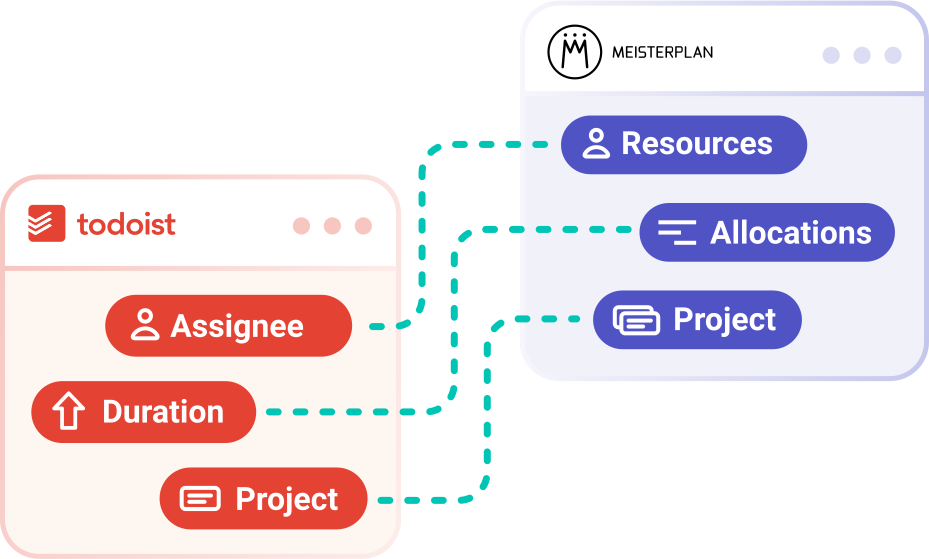
Automatically map your task planning from Todoist to the portfolio level and finally gain full visibility — without creating extra work for your teams.
- Get started with minimal data: Projects with tasks, assignments, and rough timelines are enough for portfolio planning.
- Integrate all workspaces: With Meisterplan, you can coordinate projects across teams.
- Map every hierarchy level: We support tasks, including subtasks and even deeper task structures.
How to Test Our Todoist Integration
No Extra Effort for Your Teams | No Overwriting Data in Todoist
Step 1:
Start your free trial, click the + icon on the top left of the Portfolio Designer, and select "Import Projects".
Step 2:

Select Todoist and allow Meisterplan to access your data.
Step 3:

Select the specific projects you want to visualize in Meisterplan.
Step 4:
Open the Information Panel for a selected project or go to the "Task Timeline" tab in the Project Details to view your task data in Meisterplan.
Better Together: Todoist & Meisterplan
Once you’ve completed the initial import of your Todoist projects and enriched your data in Meisterplan, your workflow should look like this:
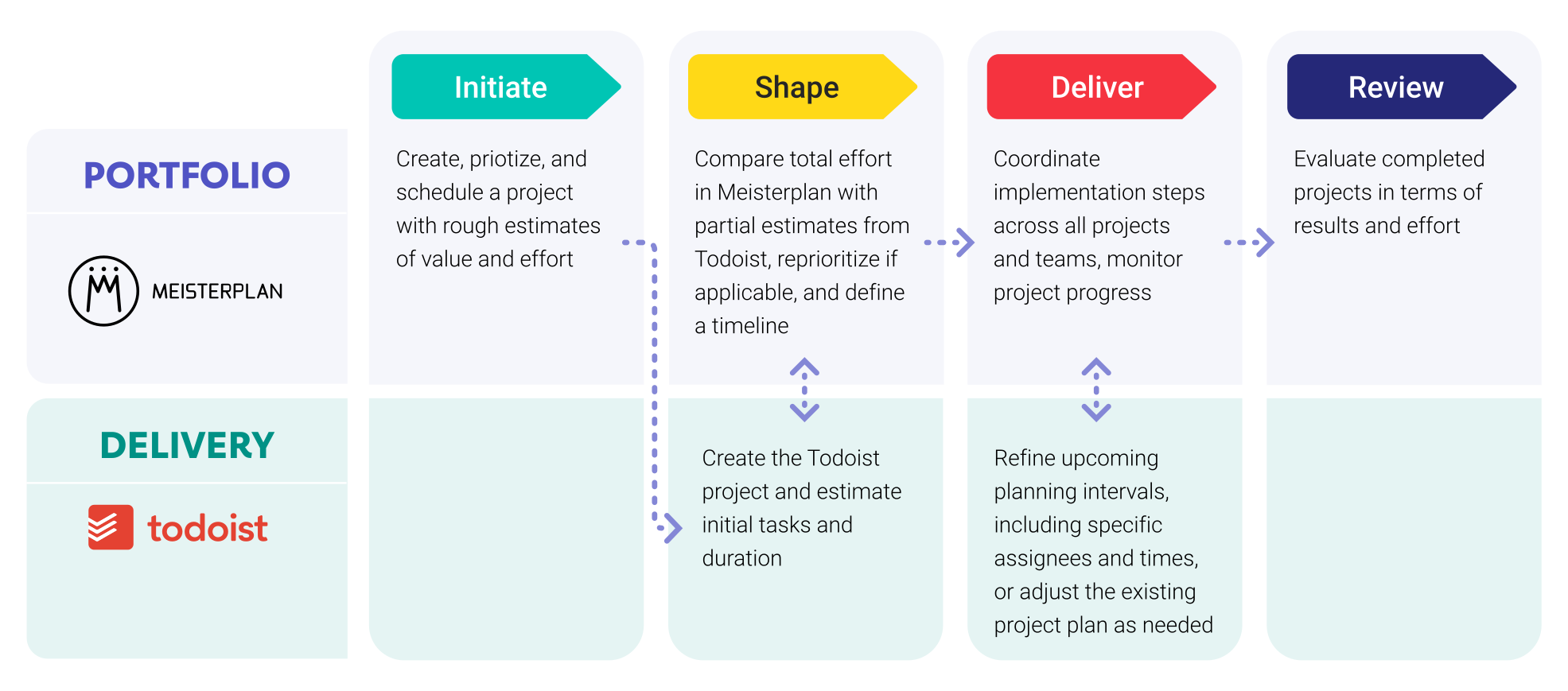
Leveraging Planner Data in Meisterplan

Everyone started to see Meisterplan as the endpoint — the place where all data flows and where we make sense of everything. It gives us the executive view, the ability to plan, and the confidence to make decisions.
FAQ
Frequently asked questions about the Todoist and Meisterplan integration.
Yes, you can import any projectProjectA project is a time-limited undertaking with defined objectives and resources that delivers unique results and often includes complex tasks. you have joined, regardless of the team workspace it belongs to.
No. Only projects with an assigned owner can be imported. These projects must be located in a team workspace.
Yes, you can easily integrate the same system multiple times using different settings.
Yes, subtasks from all hierarchy levels are displayed in Meisterplan. However, they are represented as tasks on the same level rather than as hierarchical child tasks.
No, Meisterplan currently does not overwrite any data in Todoist. We are working on field synchronization, but it will only become active if you enable it.
We authenticate you automatically via OAuth2.
We use the duration field from Todoist. This field is available starting with the Business plan.
Meisterplan synchronizes data whenever you work with a connected project. In addition, all data is synchronized globally once every night.
No. After the initial setup, no additional maintenance is required on your side.
To use the Todoist integrationIntegrationAn integration is a virtual interface that connects different software programs and enables automated data exchange between them. This allows for more efficient processes, better planning, and consistent information., you need the Meisterplan Pro or Premium Edition (excluding On-Premise). Ideally, you should also use Todoist Business.

Ready for the Next Step?
Connect your existing systems with Meisterplan in no time — and see the results for yourself.