
Connect Meisterplan with Your Google Sheets Data
Many teams rely on spreadsheet software like Google Sheets to manage detailed projectProjectA project is a time-limited undertaking with defined objectives and resources that delivers unique results and often includes complex tasks. and resourceResourceResources are all the people, places and things that you need to complete projects. The most important resource? Employees, of course! data. While this approach works well for managing individual initiatives, it can fall short when it comes to making strategic, high-level portfolio plans. Meisterplan helps you go beyond scattered spreadsheets by centralizing your project data. Easily import existing information from Google Sheets into Meisterplan and gain the visibility you need for effective portfolio planningPortfolio PlanningPortfolio planning is the process by which companies decide which projects they want to carry out. This ensures that projects are in line with the company’s objectives and that the….
Transfer Your Data from Google Sheets to Meisterplan
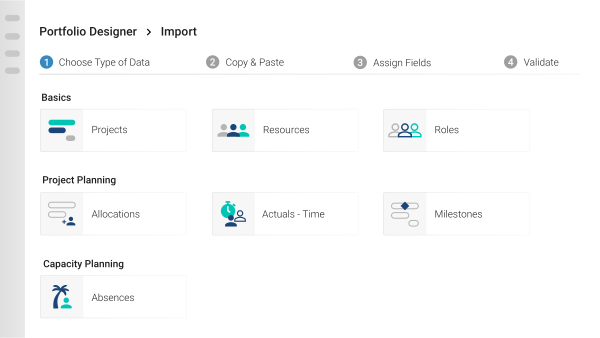
Our Quick Import feature allows you to easily move your data from Google Sheets into Meisterplan.
- Copy and paste data directly from any Google Sheets spreadsheet into Meisterplan.
- Check our sample spreadsheets to make sure you include all necessary information.
- Quickly update existing data using the same straightforward copy-and-paste method.
Export Just the Data You Need
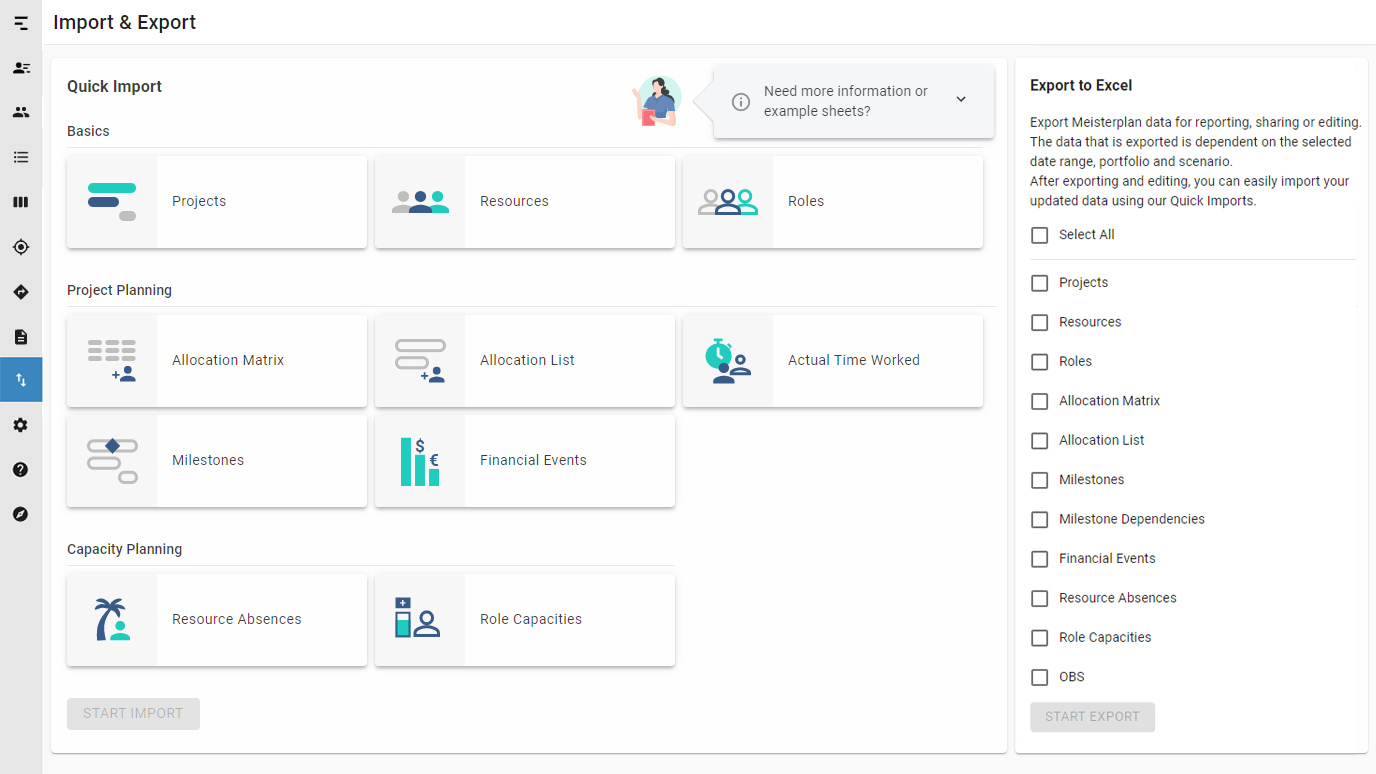
Define and export specific data for reporting and sharing with colleagues. Or, use the export function in combination with Quick Import to edit and re-upload data into Meisterplan.
- Select your desired date range, portfolio, and scenarioScenarioIn project portfolio management (PPM), scenarios are potential ways that your portfolio can look, based on a set of well-defined assumptions and portfolio decisions. Scenario planning is used to forecast… to export only the relevant data.
- Easily share and collaborate with colleagues in an easy-to-read format.
- Make updating data simple, with options to import/export any updates.

The flow of our projects is highly dynamic, and Meisterplans' Scenario Modeling has greatly enhanced our ability to manage the swings whether upward or downward.

On top of providing extremely well-documented user guides, Meisterplan’s Customer Success team offered personalized support that made a real difference for us. They work closely with their customers to understand their specific business needs and can quickly identify the right configuration solution to meet them.

With Meisterplan, we are able to implement our internal strategic projects with less than 10% deviation from the planned schedule.

Before implementing Meisterplan, our resource management was a game of Excel bingo: timeconsuming, cumbersome, and error prone.

Meisterplan gives me an overview of our global IT project landscape. A step-by-step implementation enabled us to cope with the complexity of our project portfolio. When setting up our PMO, we oriented ourselves strongly towards Lean PPM.

Before working with Meisterplan, we consistently underestimated the people resources needed to achieve project outcomes. This made it difficult to set realistic timelines and complicated our planning efforts. Thanks to Meisterplan's expertise and support, we're now better positioned to plan with confidence and deliver results.

There is no other product that does what Meisterplan does in terms of portfolio management and resource management without unessential extra features. If there were another product that does what Meisterplan does, I would have found it, because I tried them all.

Want to Speak to an Expert?
Talk to our team today.