
From Idea to Project
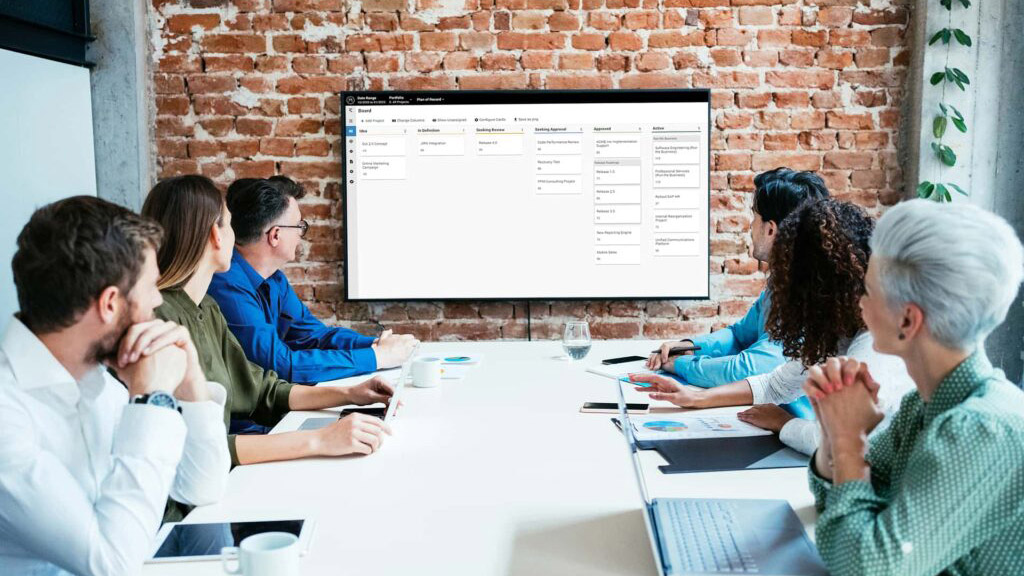
Companies rely on a constant influx of new ideas to help them stay competitive, take advantage of opportunities and weather any storms caused by both internal and external factors. As important as it is for an organization to have a steady flow of ideas, managing new projectProjectA project is a time-limited undertaking with defined objectives and resources that delivers unique results and often includes complex tasks. initiatives and developing them can be chaotic. To cut through the noise and keep all your ducks in a row, you’ll need a tool and a process for handling new project initiatives. Meisterplan’s new KanbanKanbanKanban is a method that uses cards on boards (called Kanban boards) to display and organize work or decision-making processes. Tasks or projects are noted down on cards and moved…-style Board view was designed to tackle the hurdle of managing and developing new project ideas. With our Board view, you can move a new project idea through the pipeline in seven easy steps.
Would you like to display the content of YouTube? Then please confirm this with one of the two buttons. Please note that data will be exchanged with a third-party provider.
More InformationUsing the Board View
The KanbanKanbanKanban is a method that uses cards on boards (called Kanban boards) to display and organize work or decision-making processes. Tasks or projects are noted down on cards and moved…-style Board view is highly customizable, so you can configure the view for many different uses. For managing new projectProjectA project is a time-limited undertaking with defined objectives and resources that delivers unique results and often includes complex tasks. initiatives, we recommend using two views: one for the Project Idea Phases and one for the Stage Gate of initiatives during the evaluation and decision process. By default, the Stage Gate board is already set up in Meisterplan. To set up the Project Idea Phase board, you’ll need to create a new project lookup field for the Project Idea Phase with the following options: “New Idea,” “Brainstorming,” “Expert Input,” “In Definition,” “Ready for Review” and “Rejected.” To learn more about creating fields, visit our help center.
Step 1: Collect New Project Ideas

To open your ProjectProjectA project is a time-limited undertaking with defined objectives and resources that delivers unique results and often includes complex tasks. Idea Phase Board, change the columns to display “Project Idea Phase.” Here you can add a new project card with just a few details. You might only have a name for the idea, and that’s okay! More project details will be filled in later as the idea is developed. If you do have more details available, you can add them to the project details. In addition to a name, a new idea will also need the Project Idea Phase set to “New Idea” and the Stage Gate set to “Idea,” which can be updated in the project details. As you collect new project ideas, you’ll want to make sure each card falls below the Cut-Off line since they are not yet approved projects. You can drag and drop each card to order them. If you are using the Lean PPM™ framework, this step aligns with the Collect Phase.
Project Ideas Need:
- Name
- "New Idea" as the Project Idea Phase
- "Idea" as the Stage Gate
Step 2: Brainstorm the Idea
Once you’ve added a card for your new projectProjectA project is a time-limited undertaking with defined objectives and resources that delivers unique results and often includes complex tasks. idea, it’s time to start developing it. Drag and drop the new project idea card into the “Brainstorming” column. During this step, colleagues will discuss the idea in more depth. Each new project idea may have only had a name when the brainstorming step started, but by the end, they should have a rough description of the idea and its scope.
Step 3: Get Input from Experts
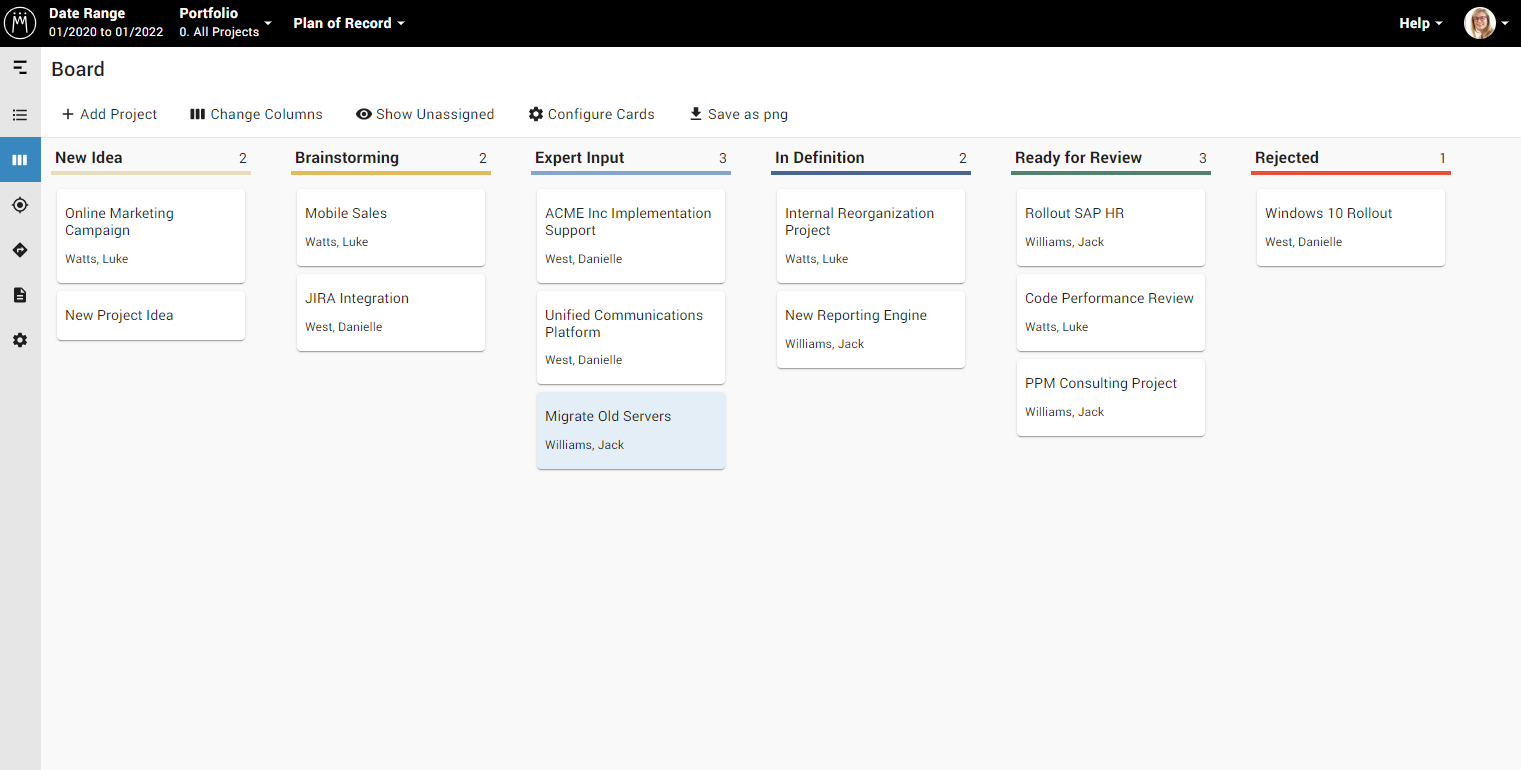
By Step 3, your idea is progressing along nicely, but in order to develop it further, you’ll need input from subject matter experts. Move the new projectProjectA project is a time-limited undertaking with defined objectives and resources that delivers unique results and often includes complex tasks. idea card into the “Expert Input” column when you’re ready to discuss the idea with internal experts like team leaders, department heads or senior project managers among others. You can also seek expert input from external experts like consultants or even your customers. In the Lean PPMLean PPMSynonym for → Lean Project Portfolio ManagementLean Project Portfolio Management (Lean PPM) is a lightweight framework for managing an organization’s project portfolio. It helps determine which projects to run, when to run them, and with which… framework™, this step is when proposal coaching occurs with the portfolio coordinator and initiator.
Using the Lean PPM™ Framework with Meisterplan
The purpose of project portfolio management is ultimately to provide a clear answer to the question “Who should implement which projectsProjectA project is a time-limited undertaking with defined objectives and resources that delivers unique results and often includes complex tasks., when?”. Lean Project Portfolio Management™ (Lean PPMLean PPMSynonym for → Lean Project Portfolio ManagementLean Project Portfolio Management (Lean PPM) is a lightweight framework for managing an organization’s project portfolio. It helps determine which projects to run, when to run them, and with which…™) answers this question without any heavy lifting. The framework is simple and doesn’t include any unnecessary steps or processes. Lean PPM™ guides organizations through the process of project portfolio managementProject Portfolio ManagementProject portfolio management (PPM) is a process that seeks to select, prioritize, monitor and analyze a company’s projects. with the roles, meetings and activities needed to develop, analyze, update and execute project portfolios.
Step 4: Define the Project Details
When an idea has been thoroughly researched and discussed, you can move the new idea card into the “In Definition” column and start defining the specific project details needed for evaluation. By clicking the card, you can add important fields such as a description, resourceResourceResources are all the people, places and things that you need to complete projects. The most important resource? Employees, of course! requirements, financial information and most importantly, you can add fields that calculate the project score.
The project score is calculated based on certain criteria and weighting determined by your organization. With a project score, it is much easier to compare projectsProjectA project is a time-limited undertaking with defined objectives and resources that delivers unique results and often includes complex tasks. and initiatives objectively. Projects and initiatives with higher scores are more closely aligned to the company objectives while lower scores indicate the project or initiative is not closely aligned. For each new project idea, fill in the project score relevant fields such as Strategy Fit, Payback Period and Risk Level.
Step 5: Submit for Review and Quality Check
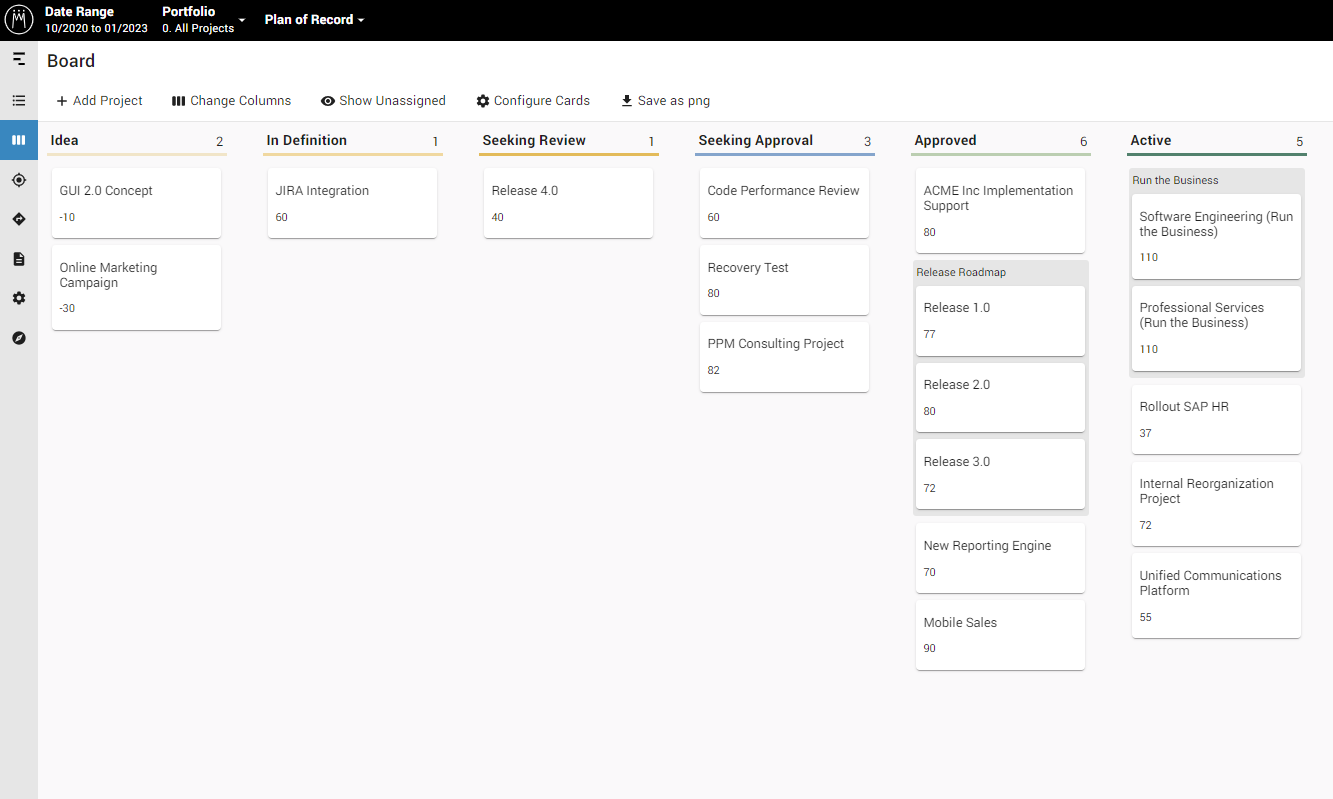
Once a new projectProjectA project is a time-limited undertaking with defined objectives and resources that delivers unique results and often includes complex tasks. idea has been fully defined, you’ll move it to the “Ready for Review” column and change the Stage Gate from “Idea” to “Seeking Review.” You can now change your Board view to columns for Stage Gate. New project initiatives that are ready for consideration are in the “Seeking Review” column. For reference, you can also see all the new project ideas that are not yet ready for consideration in the “Ideas” column.
If you are using the Lean PPMLean PPMSynonym for → Lean Project Portfolio ManagementLean Project Portfolio Management (Lean PPM) is a lightweight framework for managing an organization’s project portfolio. It helps determine which projects to run, when to run them, and with which… framework™, you’re moving from the Collect phase to the Decide phase. Each new project initiative in the “Seeking Review” column will be reviewed one more time to make sure it is fully developed and there aren’t any questions regarding the idea. In Lean PPM™, the Pipeline Review Committee performs this last quality check.
Step 6: Decide to Approve or Reject
New projectProjectA project is a time-limited undertaking with defined objectives and resources that delivers unique results and often includes complex tasks. ideas that are ready for evaluation by your decision-making body are moved into the “Seeking Approval” column. The decision-making body can configure all the cards to show the project score to help in their evaluation. Once they’ve discussed the new project idea, they either move the card into the “Approved” column or the “Rejected” column and the Stage Gate is changed accordingly. The decision-making body also decides the prioritization of approved ideas. Make sure all approved project ideas are located above the Cut-Off line.
Step 7: Allocate Resources and Determine Timing
The final step is to fit your approved projectProjectA project is a time-limited undertaking with defined objectives and resources that delivers unique results and often includes complex tasks. idea into the current project portfolio. Switch to the Portfolio Designer where you can see the approved project with all other approved and active projects in your portfolio. Now you can allocate resourcesResourceResources are all the people, places and things that you need to complete projects. The most important resource? Employees, of course! to the project and determine the best time to schedule the project based on availability and other dependencies.

Webinar: Implementing a Successful Project Intake Process
Understand best practices when it comes to streamlining your project intake process and the right tools needed to turn new initiatives into successful projects.
Complete Project Portfolio Management with Meisterplan
When you have a process and a tool for collecting, managing and developing new projectProjectA project is a time-limited undertaking with defined objectives and resources that delivers unique results and often includes complex tasks. ideas, you can be sure that no good idea falls through the cracks and improve the overall quality of the new ideas your organization considers. But managing new project ideas is only one part of your project portfolio managementProject Portfolio ManagementProject portfolio management (PPM) is a process that seeks to select, prioritize, monitor and analyze a company’s projects. puzzle. If you need to make sure project teams don’t have more projects than capacity or if you need to show upper management how many projects support which company goals, Meisterplan can help. As a PPM and resource management tool, Meisterplan can support your organization through the entire PPM process. To see how you can use Meisterplan for managing project ideas or entire portfolios, you can watch our free on-demand demo.
Read Next

Why Portfolio Unity Doesn’t Require Tool Uniformity
In the fifth post of this series on portfolio planning with Jira data, we look at how organizations can make better portfolio decisions without requiring every team to use the same tool.

Why Annual Planning Alone Isn’t Agile, and Ad-Hoc Decisions Aren’t Either
In the fourth post of this five-part series on portfolio planning with Jira data, we look at why organizations need a regular portfolio decision cadence that balances strategic agility with team focus.