Ready to Use with Our Zapier Template
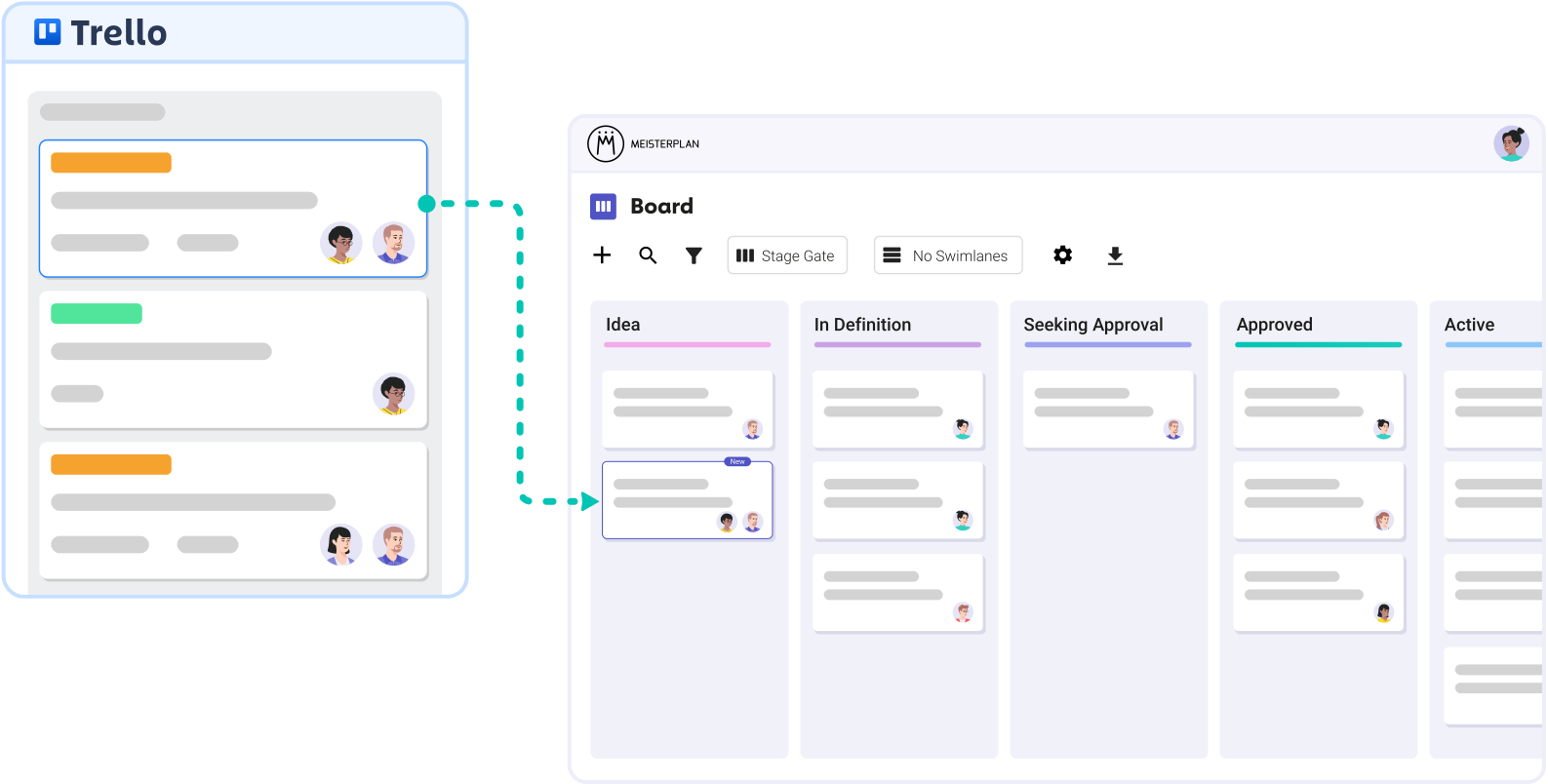
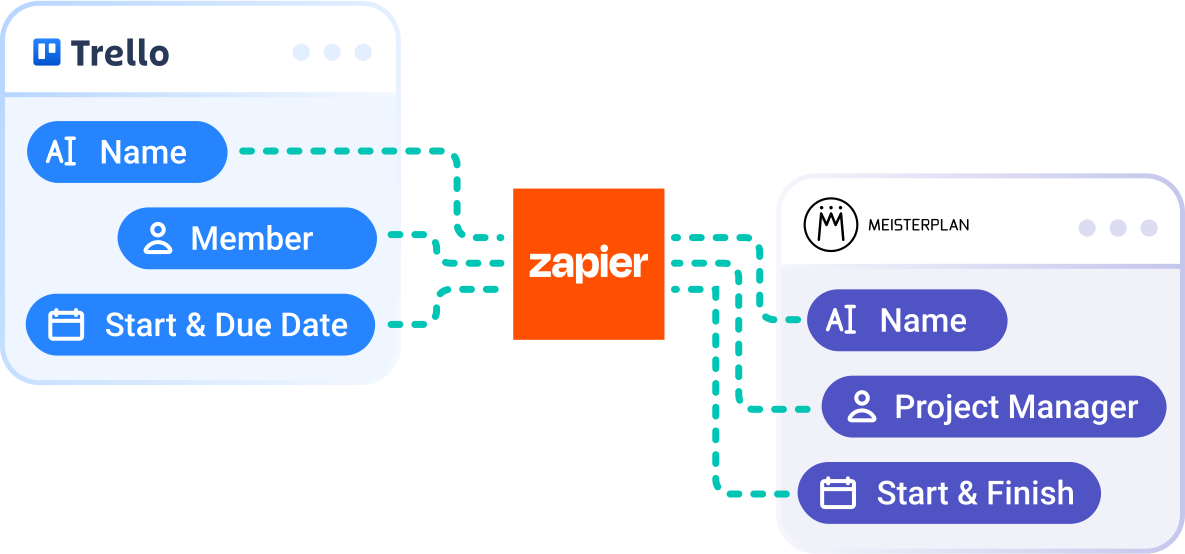
Use our pre-built Zapier template to make Trello cards visible in your Meisterplan portfolio—completely code-free.
- Keep teams focused: No Meisterplan access required. Your teams can keep working directly in Trello.
- Full control over what syncs: Choose exactly what becomes a project—whether it’s every new card or only cards from specific lists—and decide what metadata comes with it.
- Automated setup: Projects are created automatically and are instantly ready for further planning.
Test It Yourself in 3 Simple Steps
Zero effort for your teams + enterprise-grade security.
Step 1:
Start your Meisterplan trial, click Integrations in the navigation menu, and select Trello.
Step 2:
Connect your Trello account to our pre-built Zapier workflow, then add your Board ID and (optional) List ID.
Step 3:
Create or move a Trello card, and find the corresponding project instantly in Meisterplan’s Board, Portfolio Designer, and Project List.
Better Together: Trello & Meisterplan
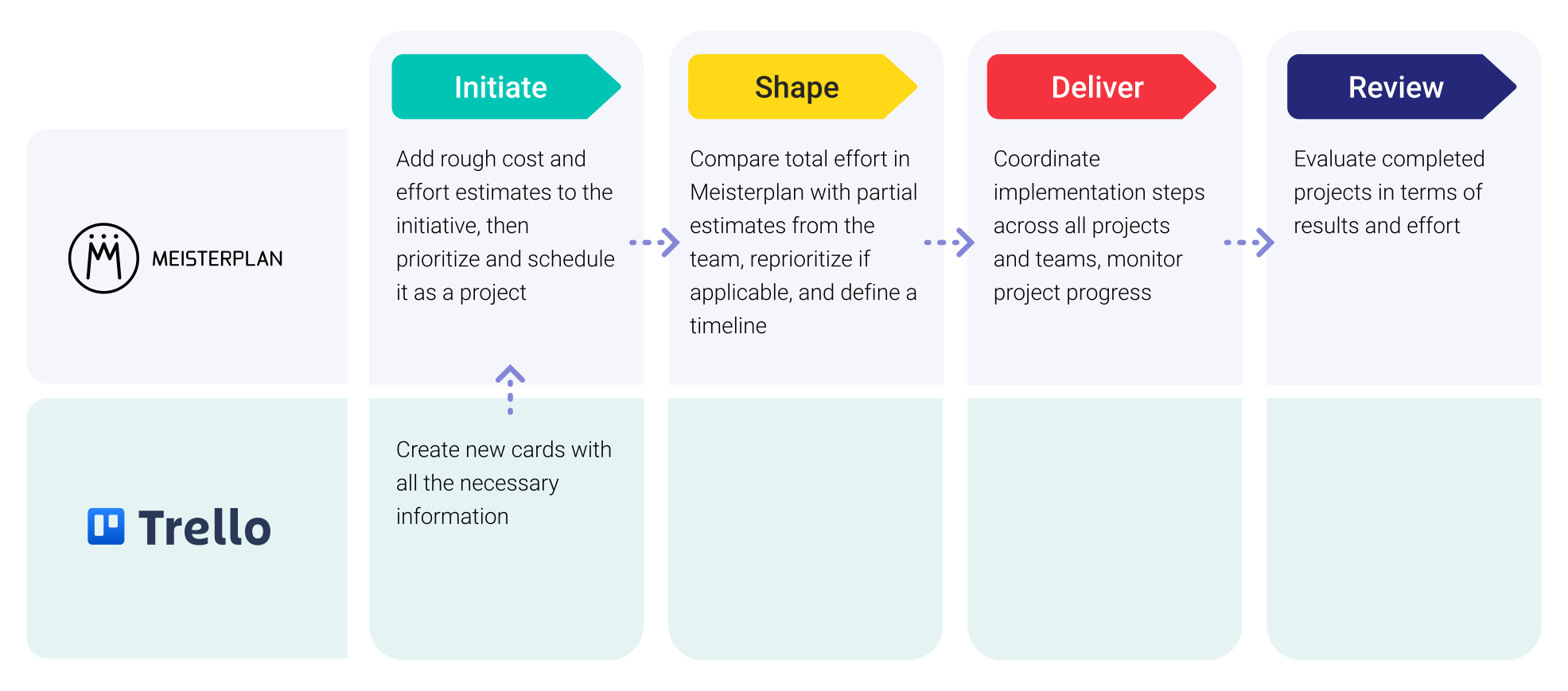
Leveraging Trello Data in Meisterplan

Everyone started to see Meisterplan as the endpoint — the place where all data flows and where we make sense of everything. It gives us the executive view, the ability to plan, and the confidence to make decisions.
FAQ
Frequently asked questions about the Trello and Meisterplan integration.
No, you do not need a paid Zapier license for basic workflows.
Yes, you can create as many workflows as you need.
Our Zapier workflow includes numerous parameters you can pull from your cards. This includes start and end dates, project managers, and many other project details.
Simply use our workflow that triggers project creation only when Trello cards reach a specific list. To streamline this, you can align your Trello lists with your stage gates in Meisterplan.
No, you can also build your own custom workflow from scratch.

Ready for the Next Step?
Connect your existing systems with Meisterplan in no time — and see the results for yourself.