Bring Azure DevOps and Portfolio Planning Together
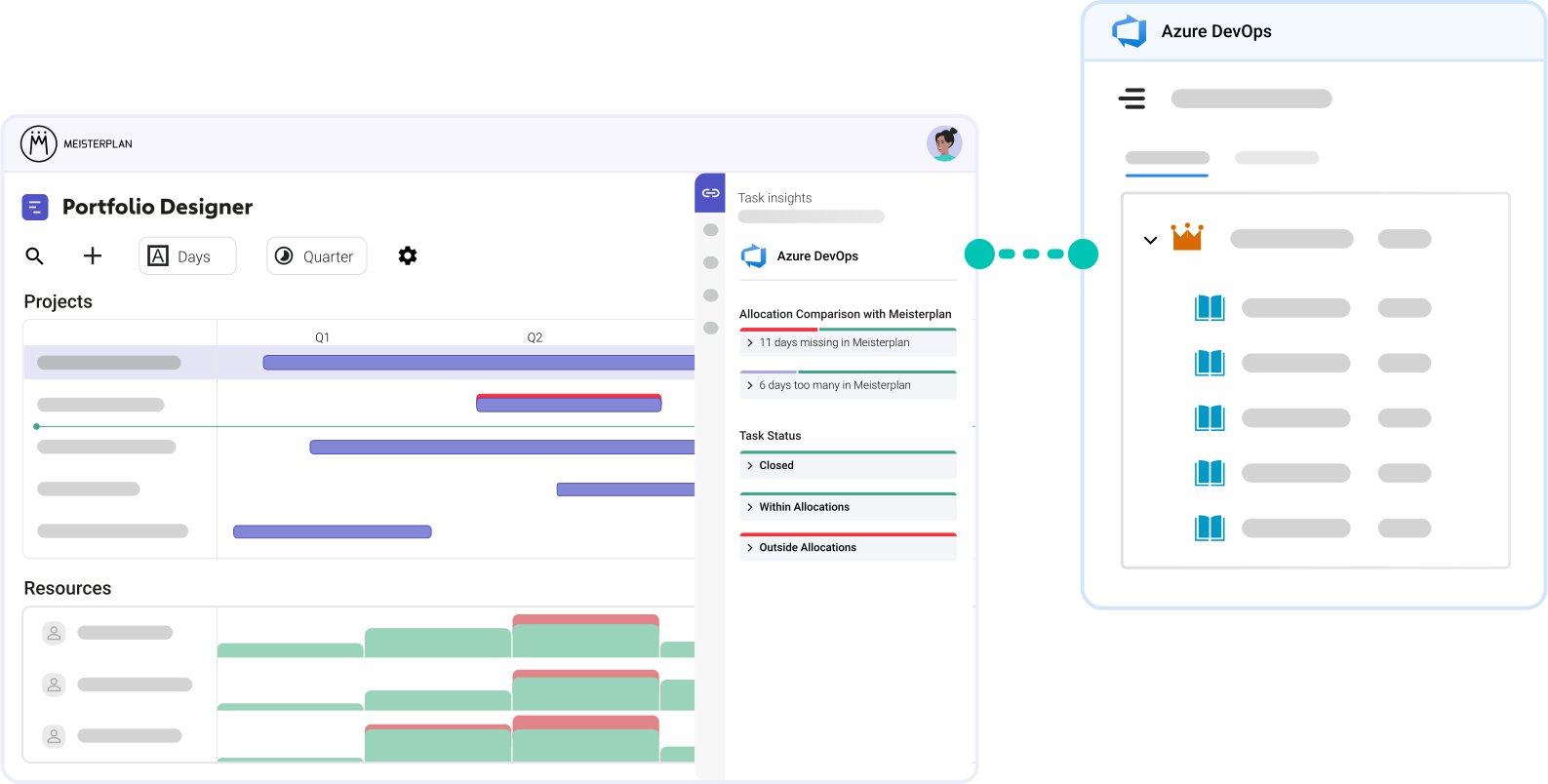
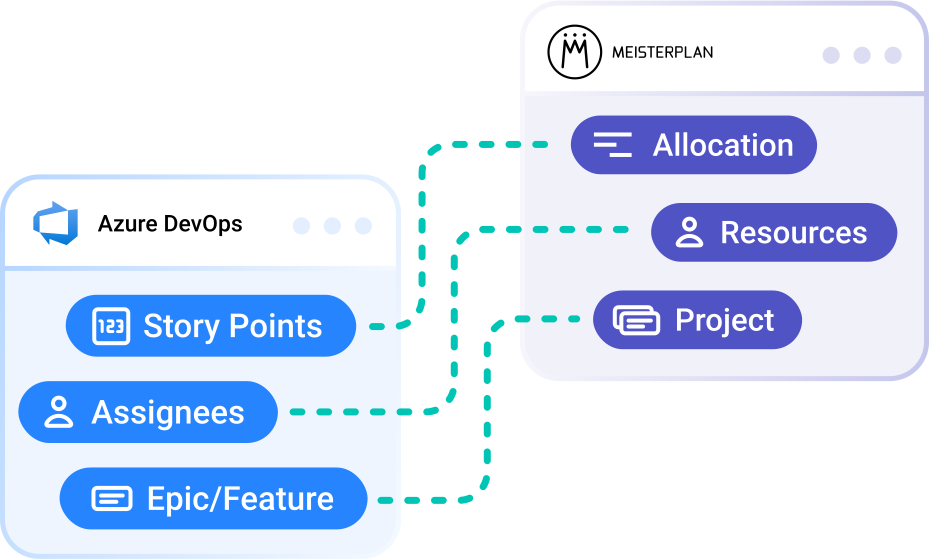
Keep your teams working in Azure DevOps while giving decision-makers the information they need for portfolio planning. Meisterplan turns effort from Azure DevOps into capacity, maps epics and features to projects, and connects assignees with portfolio resources.
- Works with different working modes: Connect agile, waterfall, and hybrid project environments.
- Get started with minimal data: An epic or feature, an assignee, and a timeframe are enough to begin.
- Connect your standard planning elements: Click here for a full overview
Try It Yourself in 4 Simple Steps
No Extra Effort for Your Teams
Step 1:

Start your free trial, click the + icon on the top left of the Portfolio Designer, and select “Import Projects”.
Step 2:

Select Microsoft Azure DevOps and the DevOps project you want to import.
Step 3:

Select the epics or features you want to import as Meisterplan projects.
Step 4:

Open the Information Panel for a selected project or go to the "Task Timeline" tab in the Project Details to view your task data in Meisterplan.
Better Together:
Azure DevOps & Meisterplan
Once you’ve completed the initial import of your Azure DevOps epics and enriched your data in Meisterplan, your workflow should look like this:
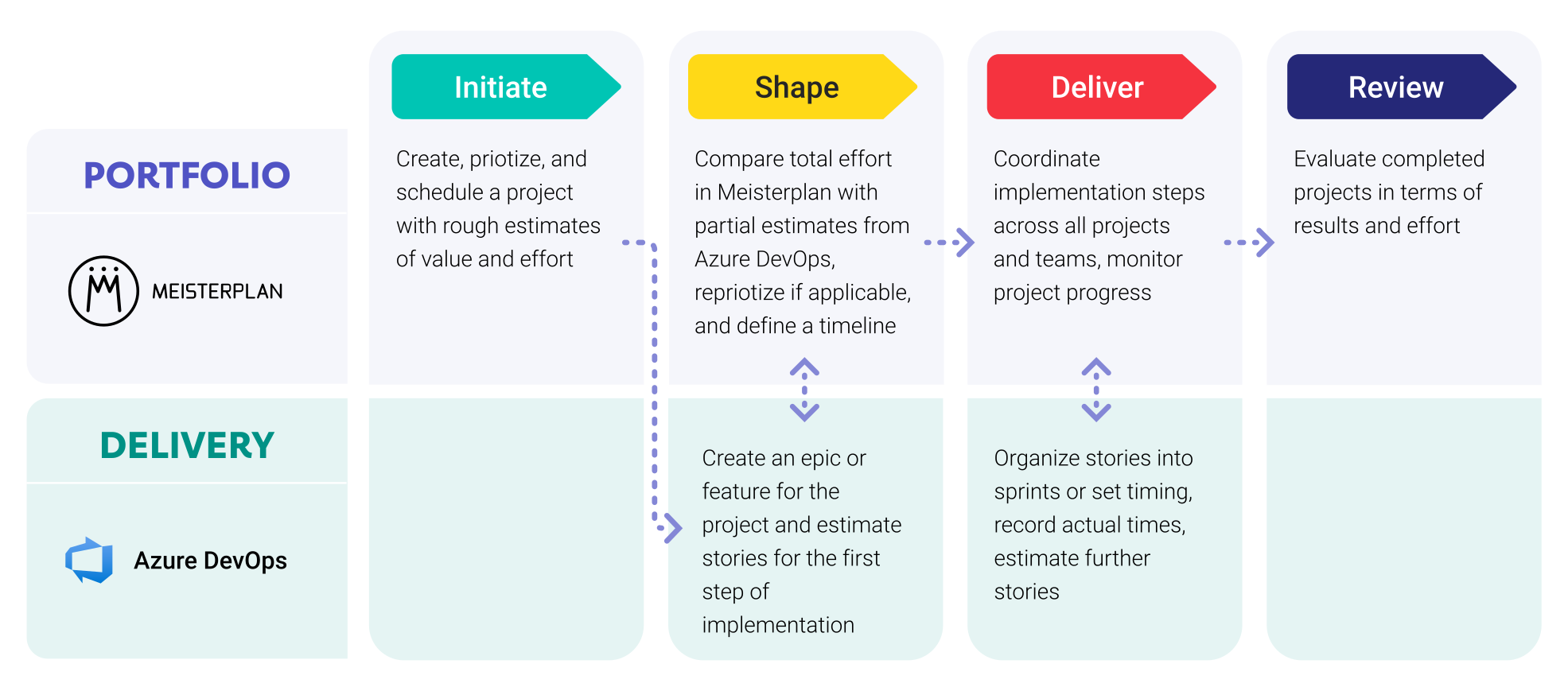
Connect Azure DevOps Data with Meisterplan

Everyone started to see Meisterplan as the endpoint — the place where all data flows and where we make sense of everything. It gives us the executive view, the ability to plan, and the confidence to make decisions.
FAQ
Frequently asked questions about the Azure DevOps and Meisterplan integration.
All children of epics and features in the requirement backlog can be imported. Work in the iteration backlog cannot be imported.
We support all processes, including custom processes.
Yes, you can easily link multiple organizations or projectsProjectA project is a time-limited undertaking with defined objectives and resources that delivers unique results and often includes complex tasks. to Meisterplan simultaneously.
Yes, you can integrate a system multiple times with different settings. This is especially helpful if different departments using different organizations or DevOps projects have configured their workflows differently.
No, Meisterplan does not currently overwrite any data in Azure DevOps. While we are working on field synchronization, it will only become active if you choose to enable it.
Projects in Azure DevOps are equivalent to “spaces” rather than Meisterplan projects. Epics and features, which can be found within DevOps projects, are mapped to Meisterplan projects.
We authenticate you automatically via OAuth2.
Yes. Assign your DevOps teams in the Area Path field of a work item, and they will be matched with teams or roles in Meisterplan with the same name.
Yes. We use the default effort field from the Azure DevOps project, which could be effort in hours, story points or size.
Meisterplan syncs the data whenever you work with a linked project. Additionally, a global data sync runs automatically once every night.
No, there is no further effort required on your part after the initial setup.

Want to Speak to an Expert?
Talk to our team today.