

Easily Visualize and Analyze Your Data with Meisterplan + Google Looker Studio
Google Looker Studio (formerly Google Data Studio) is a free tool that turns your data into informative and customizable dashboards and reports that are easy to read and easy to share. Through Meisterplan’s Reporting API, you can use Google Looker Studio to analyze and understand your Meisterplan data in a whole new way.
See Your Meisterplan Data in a New Light
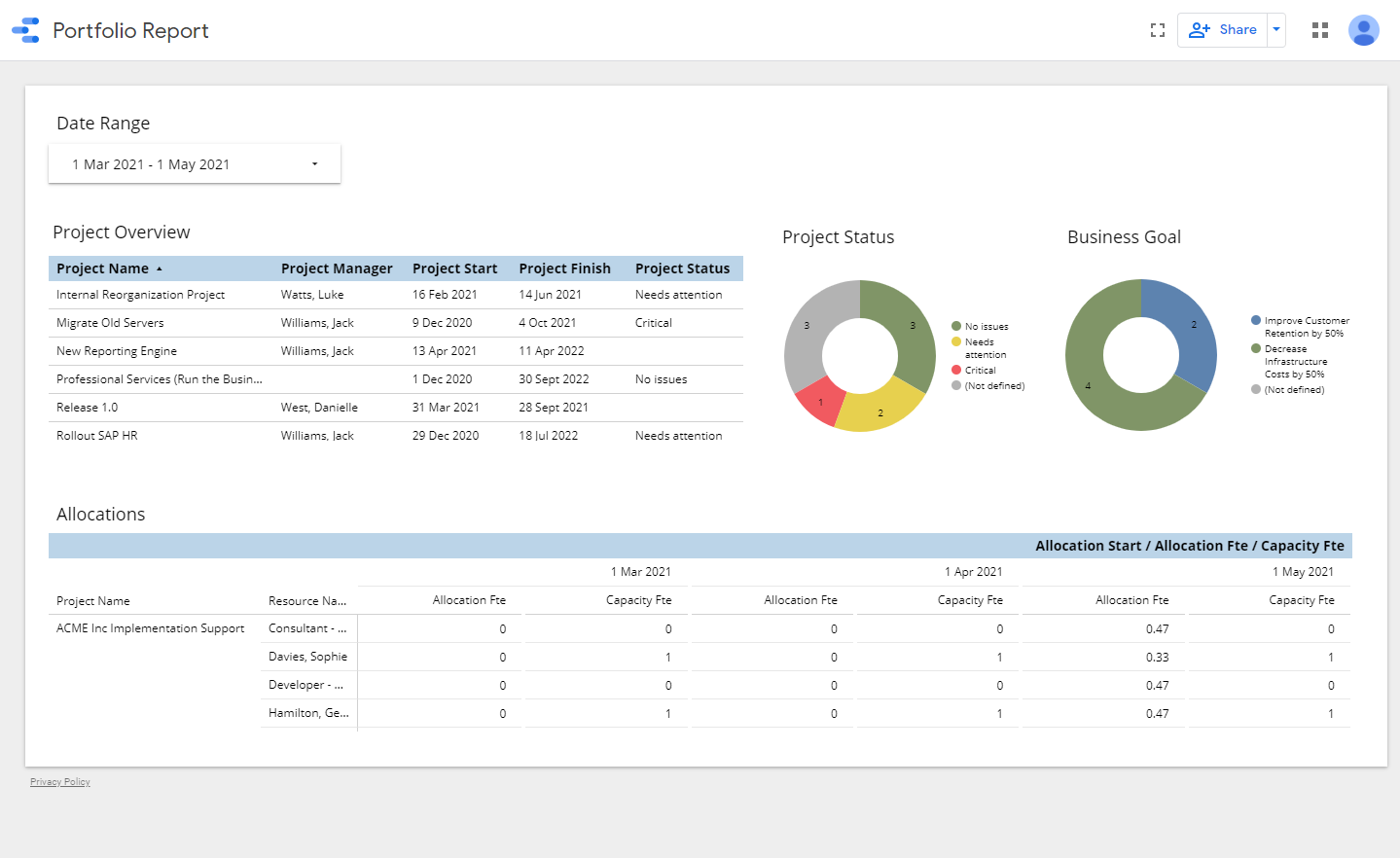
- Visualize your data using different analysis options for your projectProjectA project is a time-limited undertaking with defined objectives and resources that delivers unique results and often includes complex tasks. portfolio and resource planning.
- View your portfolio data such as project status, resourceResourceResources are all the people, places and things that you need to complete projects. The most important resource? Employees, of course! allocationsAllocationAllocating describes the strategic process of identifying the correct resources for projects or individual tasks and assigning them accordingly. and alignment to business goals at a glance.
- Customize report parameters to best suit your needs.
How to Use Google Looker Studio with Meisterplan
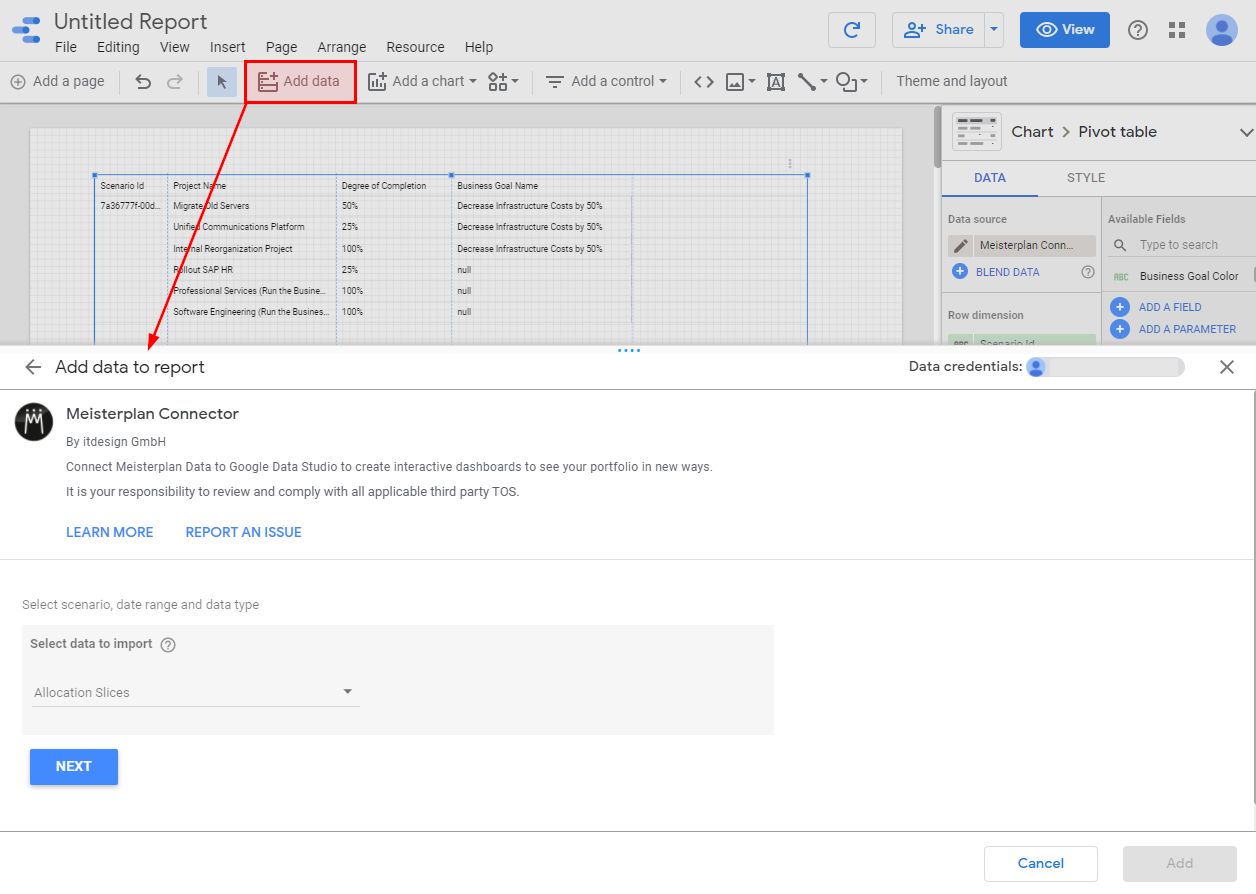
- Log into your Google Looker Studio account or set up a new account.
- Load your Meisterplan data into Google Looker Studio by going to https://lookerstudio.google.com/data and selecting the Meisterplan connector.

Would you like to to connect Google Looker Studio to your Meisterplan Portfolio?
Just follow the guide in our Help Center

What Tobias loves about Meisterplan
With Meisterplan, we are able to implement our internal strategic projects with less than 10% deviation from the planned schedule.

What Amandine loves about Meisterplan
On top of providing extremely well-documented user guides, Meisterplan’s Customer Success team offered personalized support that made a real difference for us. They work closely with their customers to understand their specific business needs and can quickly identify the right configuration solution to meet them.

What Robert loves about Meisterplan
Before working with Meisterplan, we consistently underestimated the people resources needed to achieve project outcomes. This made it difficult to set realistic timelines and complicated our planning efforts. Thanks to Meisterplan's expertise and support, we're now better positioned to plan with confidence and deliver results.

What Darrin loves about Meisterplan
There is no other product that does what Meisterplan does in terms of portfolio management and resource management without unessential extra features. If there were another product that does what Meisterplan does, I would have found it, because I tried them all.

What Michael loves about Meisterplan
The key quantifiable difference since we started using Meisterplan is that planning horizon has moved immediately from short term to long term, from 3 months to 18 months. And that creates more efficient communication, and better and more logical decision making.

What Steve loves about Meisterplan
The flow of our projects is highly dynamic, and Meisterplans' Scenario Modeling has greatly enhanced our ability to manage the swings whether upward or downward.

What Christopher loves about Meisterplan
We successfully run 400 projects and 20 programs in our portfolio with Meisterplan. Although many have tried, you can’t manage that many programs and resources in Excel templates. But you can with Meisterplan.